

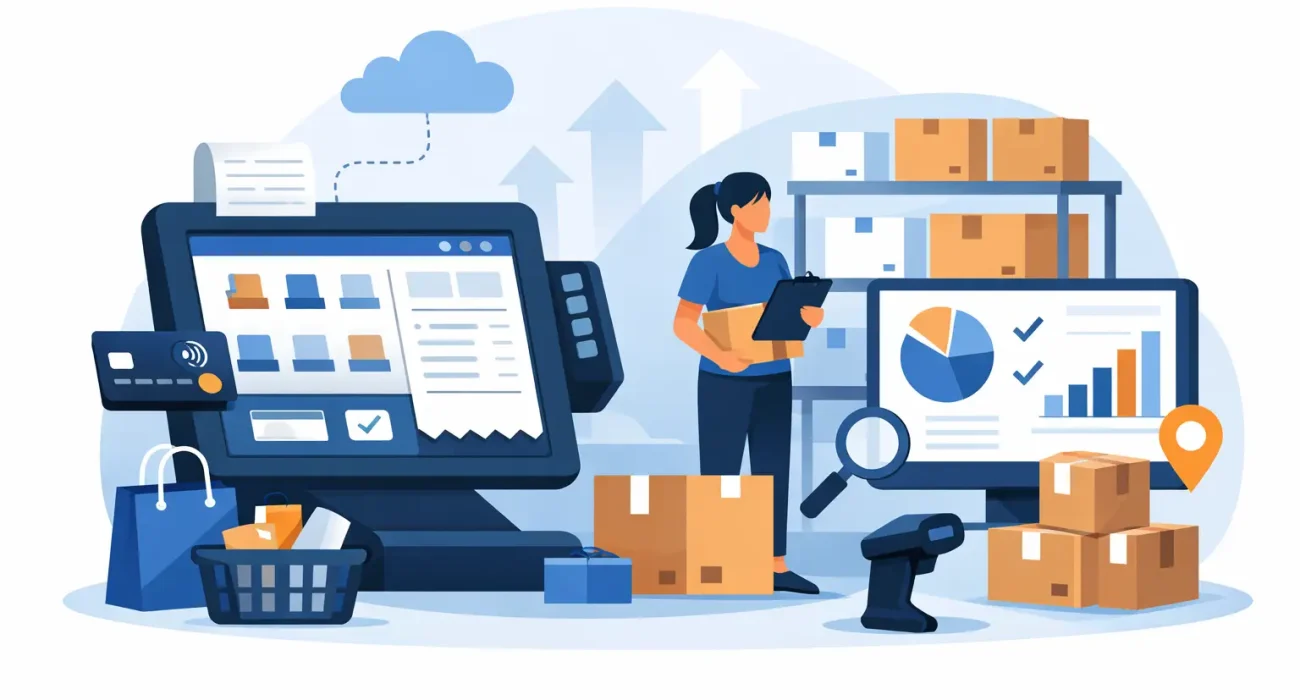
When a best-selling item shows as available in the system but is missing from the shelf, the problem is rarely just inventory. It affects sales, staff time, customer trust, and purchasing decisions. That is why many growing stores now look for retail POS software with inventory management instead of treating checkout and stock control as two separate systems.
For retailers, the real value is not only faster billing. It is having one operational view of what is selling, what is running low, what is overstocked, and where money is being lost. A modern POS setup can connect sales activity directly to stock movement, which gives business owners clearer control over day-to-day operations.
Why retail POS software with inventory management matters
In a small store, manual stock tracking might work for a while. Once product lines expand, staff shifts increase, or multiple sales channels come into the picture, spreadsheets and disconnected tools start creating expensive mistakes. The issue is not just complexity. It is timing.
When inventory updates lag behind sales, staff may reorder too late or too early. When pricing changes are made in one place but not another, checkout errors become more common. When reports are delayed, owners are forced to make purchasing decisions based on guesswork.
Retail POS software with inventory management reduces that gap between what is happening on the floor and what the business sees in its system. Every sale, return, exchange, and stock adjustment feeds into a more accurate picture of inventory. That makes the business easier to manage and easier to scale.
What the right system should actually do
Not every POS platform handles inventory well. Some offer only basic stock counts, while others provide the control that a retail business needs to operate confidently. The difference matters, especially for stores with many SKUs, frequent supplier orders, or seasonal demand shifts.
A practical system should update stock levels in real time as items are sold. It should support barcode scanning, product variants such as size or color, supplier records, purchase orders, low-stock alerts, and stock transfer if more than one location is involved. It should also make returns and adjustments easy to log, because inventory accuracy often breaks down in those smaller exceptions.
Reporting is just as important. Good software should show top-selling items, slow-moving stock, profit by product category, and reorder trends. Without that visibility, inventory management becomes reactive instead of controlled.
Real-time inventory visibility
This is one of the first improvements retailers notice. When the POS and inventory system work together, stock levels are updated immediately at checkout. That means staff can check availability quickly, managers can monitor fast-moving items, and purchasing can happen with better timing.
Real-time visibility is especially useful during promotions, holidays, and peak periods when stock can move faster than expected. In those moments, delayed updates create very costly assumptions.
Better purchasing decisions
Buying too much ties up cash. Buying too little leads to missed sales. A system that connects sales history with current stock levels helps retailers order based on actual demand patterns instead of instinct alone.
That does not mean software replaces human judgment. Local events, supplier delays, and seasonal buying habits still matter. But accurate sales and stock data give decision-makers a stronger starting point.
Faster and more accurate checkout
A retail POS system still has to perform its front-line job well. If checkout is slow, confusing, or prone to mistakes, customers feel it immediately. Inventory integration improves speed because pricing, SKU data, promotions, and product information are already built into the system.
This also helps reduce manual entry errors. Staff do not need to remember prices or update stock after the fact. The process becomes more controlled, which matters even more when stores are training new employees or managing high turnover.
Common operational problems this software helps solve
Many retailers do not replace their systems because of one major failure. They do it because small daily issues keep adding up. Stock discrepancies, delayed reporting, accidental overselling, pricing mismatches, and time-consuming stock counts all eat into profit.
A connected POS and inventory setup helps solve these problems by removing duplicate work. Instead of checking one system for sales and another for inventory, teams work from a single source of truth. That saves time, but more importantly, it reduces avoidable confusion.
Shrinkage is another area where visibility matters. If stock losses are caused by receiving errors, theft, damaged goods, or incorrect adjustments, a better system will not solve everything on its own. But it does make unusual patterns easier to identify and investigate.
Choosing retail POS software with inventory management for your store
The best fit depends on how your retail business operates. A single-location boutique has different needs than a supermarket, electronics store, or specialty retailer with thousands of SKUs. The goal is not to buy the most feature-heavy platform. It is to choose one that fits your workflows and supports growth without adding unnecessary complexity.
Start with the basics. How many products do you manage? Do you sell variants such as sizes, colors, or bundled items? Do you need purchase ordering, supplier tracking, or multi-location inventory? Will multiple cashiers use the system at once? Do you need customer profiles, loyalty features, or promotional pricing built in?
Then look at implementation realities. Software can look excellent in a demo and still create friction during daily use. The interface needs to be clear for frontline staff. Reporting should be understandable for managers. Hardware compatibility, training, migration, and support should all be discussed before rollout, not after problems begin.
Local support matters more than many retailers expect
This is often underestimated until a problem happens during business hours. If a receipt printer fails, products are not syncing properly, or users need urgent assistance, responsive support becomes part of business continuity.
That is why many businesses prefer working with a partner that can tailor the setup, train staff properly, and provide ongoing help when issues come up. In practice, reliability is not only about software features. It is also about how quickly problems are resolved and how well the system matches the way the store actually operates.
For businesses that want both implementation support and broader business technology guidance, working with a provider such as SDQ Tek can make the process more practical and less fragmented.
Trade-offs to keep in mind
There is no perfect POS system for every retailer. Some platforms are simple and affordable but limited in reporting or inventory depth. Others offer advanced controls but require more setup, staff training, and process discipline.
Cloud-based systems are popular because they offer flexibility and easier remote access, but they depend on stable internet and proper configuration. On-premise options may give some businesses more control, though they can involve higher maintenance and less flexibility over time.
There is also the question of how much structure your team is ready for. Strong inventory management works best when staff consistently scan items, log returns correctly, receive stock properly, and follow the system. If internal processes are weak, even good software will produce unreliable data.
What successful implementation looks like
A good rollout starts before installation. Product data needs to be cleaned up, duplicate SKUs removed, pricing verified, and categories organized properly. If this step is rushed, reporting problems show up later and confidence in the system drops quickly.
Training should also be role-specific. Cashiers need quick, practical instruction. Managers need to understand reporting, stock adjustments, and purchase workflows. Owners need visibility into the key numbers that affect margin and stock planning.
After launch, review matters. The first few weeks usually reveal where workflows need adjustment. Maybe reorder points are too low, product naming is inconsistent, or staff need additional guidance on returns. That is normal. The goal is not a perfect first day. It is a system that becomes more accurate and more useful as the business uses it consistently.
Retail runs on timing, visibility, and control. When your checkout system and inventory data work together, you are not just processing sales more efficiently. You are making better decisions with fewer blind spots, and that gives your business a stronger foundation for steady growth.