

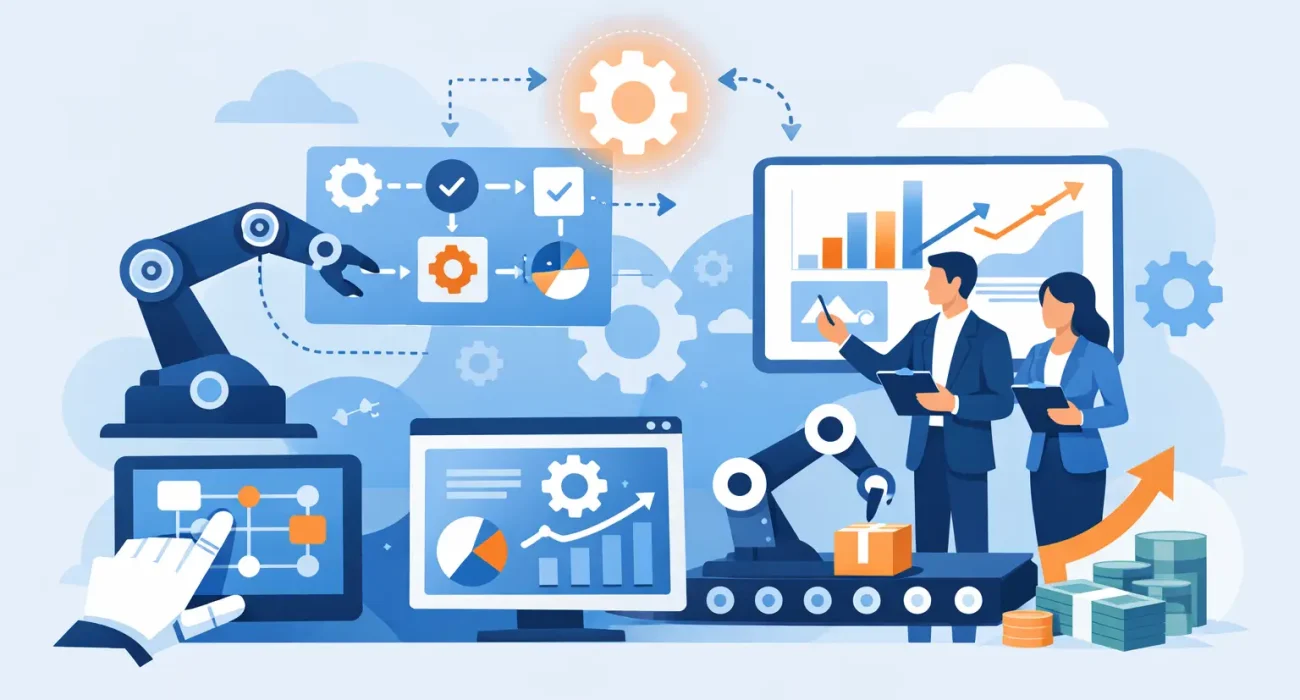
A restaurant manager should not have to compare POS sales, delivery orders, staff attendance, and inventory counts across four separate systems before deciding what to reorder. Yet this kind of manual work remains common. The business automation trends gaining real traction are not about replacing people with software. They are about removing delays, duplicate entry, and blind spots that prevent owners from running their businesses with confidence.
For companies in Qatar, automation must work in the real conditions of daily operations: busy service periods, multilingual teams, changing customer expectations, local payment preferences, and the need for responsive support when something needs attention. The most useful solutions are practical, connected, and designed around the way a business actually operates.
Business automation trends reshaping daily operations
The strongest automation investments now focus on connected workflows rather than isolated tools. A business may already have accounting software, a point-of-sale system, a website, and social media accounts. The issue is often that these tools do not share information effectively. Staff then become the connection point, moving data manually between systems and correcting avoidable errors.
Connected POS and inventory management
For restaurants and retailers, the POS system is becoming a central operational platform rather than simply a payment terminal. Modern systems can track sales by item, time, location, and employee, then use that information to update inventory, identify fast-moving products, and flag items that need attention.
This can reduce stock shortages and unnecessary purchasing, particularly for businesses with large menus, seasonal demand, or several product categories. A restaurant, for example, can see which dishes sell consistently and whether ingredient usage aligns with actual sales. A retailer can recognize slow-moving stock before it takes up valuable shelf space.
The benefit depends on clean setup. If product names, recipes, units, and stock counts are inconsistent from the start, automation can only produce faster inaccurate reports. Implementation should include process mapping, staff training, and a clear owner for keeping core data current.
Automated customer communication with a human standard
Customers expect quick answers, whether they are checking a menu, requesting a booking, asking about store hours, or following up on a property inquiry. Automated confirmations, reminders, and status updates can handle routine communication without making the customer experience feel impersonal.
QR code menus are one useful example. They allow restaurants to update menu items, availability, or promotions without reprinting materials. When connected to ordering or customer feedback processes, they can also give management a clearer view of what diners are interested in.
Automation should not become a barrier when a customer needs help. The right approach is to automate predictable messages while making it easy to reach a person for exceptions, complaints, or higher-value inquiries. Fast replies matter, but useful replies matter more.
Workflow automation for approvals and follow-up
Many growing companies lose time not because a task is difficult, but because no one knows who should act next. Purchase approvals sit in email inboxes. Maintenance requests are passed through phone calls. Sales leads arrive through a website form but are not contacted until days later.
Workflow automation assigns the next step automatically. A new inquiry can be sent to the right team member, logged in a customer database, and followed by a scheduled reminder if there is no response. A maintenance issue can be categorized, assigned, and tracked through completion. Managers gain visibility without needing to chase updates across messages and spreadsheets.
This trend is especially valuable for property-related businesses, where tenant communication, inspections, payments, and service requests can quickly become fragmented. Automation creates a record of what happened, when it happened, and who is responsible. That improves accountability while reducing the administrative burden on staff.
AI-assisted reporting and decision support
Artificial intelligence is becoming part of business software, but the practical value is usually less dramatic than the headlines suggest. Most small and medium-sized businesses do not need an advanced AI project. They need reports that are easier to understand and action prompts that arrive at the right time.
AI-assisted tools can help summarize sales activity, identify unusual changes in demand, categorize inquiries, draft routine responses, and highlight trends in customer feedback. This gives owners and managers a faster starting point for decisions. It does not remove the need for judgment.
A sudden rise in sales may be caused by a promotion, a holiday period, a new competitor closing nearby, or a reporting error. Software can flag the change, but an experienced operator still needs to interpret it. Businesses should view AI as decision support, not automatic decision-making.
Why integrated systems matter more than standalone tools
The next stage of automation is not buying the most software. It is building a dependable flow of information between the systems that already matter to the business.
Consider a retailer that runs online promotions, accepts orders through a website, and sells in-store. When stock, customer details, and sales records are disconnected, the business can oversell products, miss follow-up opportunities, and spend hours reconciling information. When the systems are integrated, updates can happen closer to real time and reporting becomes more reliable.
The same principle applies to marketing. Website inquiries, social media messages, online forms, and customer reviews should not disappear into separate channels. Connecting them to a defined follow-up process helps businesses respond faster and understand which marketing activity is generating qualified demand.
This is where technology and digital growth services should support each other. A polished website brings in leads, but it delivers limited value if inquiries are not tracked and answered. A strong POS system captures valuable customer and sales data, but the opportunity is missed if the business never uses those insights to improve offers, promotions, or service.
How to prioritize automation without disrupting operations
The best automation roadmap starts with a specific business problem, not a product demonstration. Owners should first identify where staff spend time on repetitive work, where errors happen most often, and where customers experience delays.
A useful first project has three qualities: it affects a frequent process, has a measurable outcome, and can be adopted without forcing the whole company to change overnight. For example, automating lead notifications and follow-up can be a better first step than replacing every business system at once. A restaurant may begin by connecting POS sales to inventory reporting before expanding to loyalty programs or advanced customer analytics.
Before choosing a platform, decision-makers should also ask practical questions. Can the system grow with additional locations or users? Does it support the business’s current workflows, rather than requiring unnecessary workarounds? Who will provide implementation, training, and ongoing support? Can management access clear reports without depending on a technical specialist?
Cost should be evaluated beyond the initial subscription or installation fee. A lower-priced tool that requires constant manual work, weak support, or repeated fixes may become expensive over time. On the other hand, complex enterprise software can be excessive for a smaller operation if staff only use a fraction of its features. The right fit depends on business size, operating model, and near-term priorities.
The role of local implementation and support
Automation succeeds when people use it consistently. That requires more than installing software. Staff need training that reflects their daily responsibilities, managers need reports they can trust, and owners need a support partner that can respond when operations cannot wait.
Localized implementation also matters because businesses have different compliance needs, customer behaviors, staffing models, and service expectations. A solution designed around a generic workflow may look capable on paper but create friction at the counter, in the kitchen, or during a property handover.
SDQ Tek helps businesses bring together operational technology, business software, websites, and digital marketing with a focus on practical implementation. The goal is not technology for its own sake. It is a more organized operation, better customer responsiveness, and clearer visibility into what is driving growth.
The most valuable automation is often the one employees stop noticing because it quietly removes a daily frustration. Start with the process that creates the most avoidable delays, make it measurable, and build from there with systems your team can rely on.