

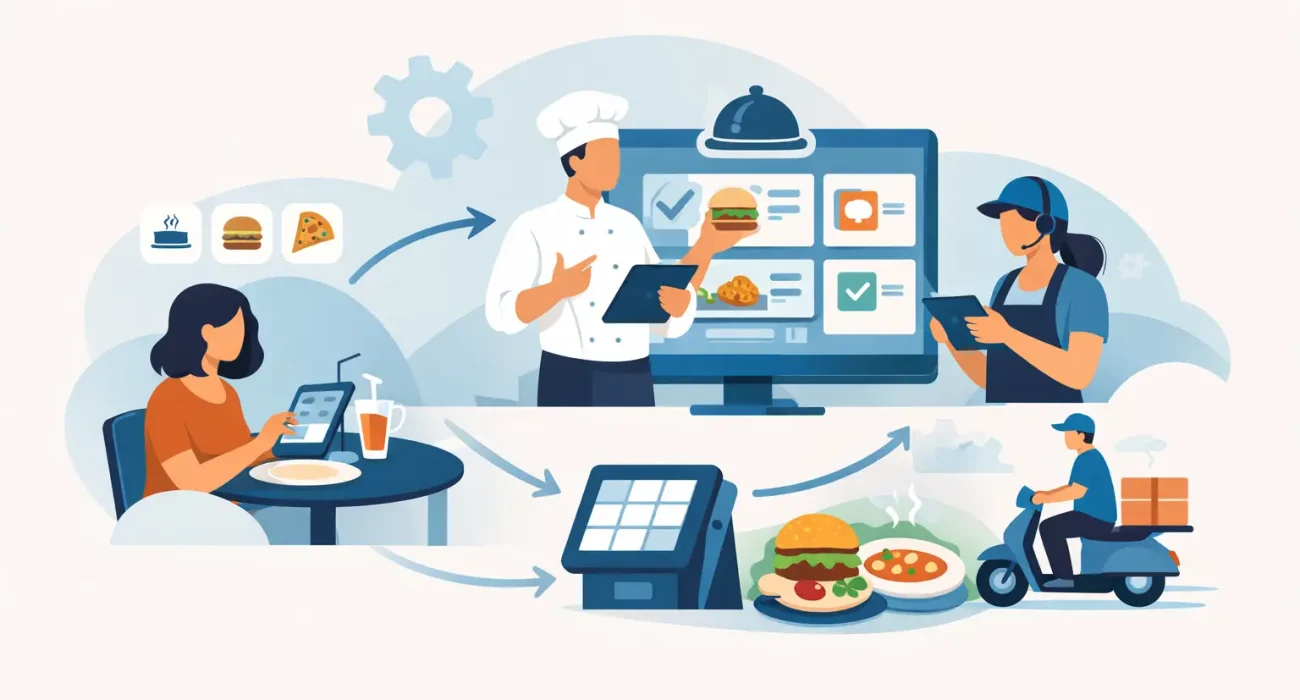
The dinner rush usually does not fail because demand is too high. It fails because orders get stuck between people, screens, and stations. A server misses a modifier, the kitchen sees tickets out of sequence, a cashier re-enters the same order twice, and delivery requests pile up beside dine-in traffic. If you want to know how to streamline restaurant ordering workflow, the goal is not just to move faster. It is to remove the friction that keeps good staff from performing consistently.
For most restaurants, ordering problems start with fragmentation. One process handles dine-in, another handles takeaway, and a third handles delivery apps. Then management expects the kitchen and front-of-house team to keep everything aligned manually. That may work when order volume is low, but it becomes expensive the moment traffic increases. Delays, errors, remakes, and poor handoff between teams quickly affect both revenue and guest experience.
Where restaurant ordering workflow usually breaks down
Before making changes, it helps to identify where the real bottleneck sits. In some restaurants, the issue starts at order entry. Staff take orders on paper or at a fixed terminal, which creates delays and increases the chance of mistakes. In others, the POS is functional but disconnected from kitchen operations, so orders still need verbal confirmation or manual sorting.
Menu complexity is another common issue. If modifiers, combo options, and add-ons are not clearly structured in the ordering system, staff spend too much time clarifying requests. That slows the line and raises the risk of incorrect preparation. The same problem shows up when online ordering menus are not organized well, especially for busy quick-service or casual dining operations.
There is also the volume mix to consider. A restaurant serving walk-ins, QR menu orders, phone orders, and delivery platform orders at the same time needs a workflow that prioritizes automatically. Without that, teams react to the loudest issue instead of the next logical step.
How to streamline restaurant ordering workflow at the source
The fastest way to improve ordering is to reduce handoffs. Every extra step between the customer placing an order and the kitchen acting on it creates another chance for delay or error. That is why a well-configured POS system matters so much. It gives staff one reliable point of entry, standardizes how orders are captured, and keeps information moving in a consistent format.
This does not mean every restaurant needs the same setup. A full-service restaurant may benefit from handheld POS devices so servers can send orders directly from the table. A fast-casual operation may get better results from counter-based ordering with an integrated kitchen display. A smaller café may benefit most from QR menu ordering during peak periods because it reduces front-counter congestion.
The right choice depends on service style, menu complexity, and staffing model. What should stay constant is the principle: orders should be entered once, routed automatically, and visible immediately to the next team responsible.
Standardize the menu structure
A streamlined workflow begins with a clean menu setup inside the ordering system. Categories should be logical, modifiers should be limited to what staff and kitchen actually need, and item names should be unambiguous. If the kitchen sees three different names for the same customization, that is not flexibility. It is confusion.
A strong menu structure also makes training easier. New staff can process orders faster when the system mirrors how the restaurant really operates. On the customer side, QR ordering and online ordering become more effective when the menu is simple to navigate and built around actual ordering behavior.
Route orders by station, not by guesswork
Orders should go directly to the correct prep station without staff having to explain them verbally. Grill items should reach grill, drinks should reach beverage, and desserts should appear only when relevant. Kitchen display systems are useful here because they organize incoming tickets in real time and reduce the clutter that paper slips often create.
That said, technology alone does not fix poor workflow design. If one station is overloaded while another stands idle, the issue may be menu engineering or prep sequencing rather than hardware. Streamlining means looking at both the digital flow and the physical one.
Build one workflow for dine-in, takeaway, and delivery
One of the biggest operational mistakes is treating each order channel as a separate business. Customers may order in different ways, but the restaurant still needs one controlled workflow behind the scenes. Otherwise, staff have to learn multiple processes, and managers spend service hours solving preventable problems.
A better model is to centralize order intake and then apply routing rules based on fulfillment type. Dine-in orders may need table tagging. Takeaway orders need pickup timing and packaging cues. Delivery orders need dispatch visibility. Those differences matter, but they should sit within one connected system rather than three disconnected ones.
This is especially relevant for restaurants trying to grow online sales without damaging in-store service. If online demand rises but operations remain manual, the front-of-house team becomes a bottleneck. Integrated ordering tools help protect service quality by absorbing volume without adding the same level of labor pressure.
Use automation carefully
Automation can improve speed, but only when it is applied to repetitive tasks that already follow a clear logic. Good examples include sending orders directly to kitchen displays, assigning pickup times, syncing menu availability, and updating item status automatically. These changes save time because they remove routine decisions.
Poor automation usually shows up when the restaurant tries to force a rigid process onto a flexible service environment. Fine dining, high-customization menus, and special dietary requests may still require closer human attention. The answer is not to automate everything. It is to automate the predictable parts so staff can focus on the exceptions.
Train for consistency, not just system access
Many restaurants install better tools and still struggle because staff training stays too shallow. Knowing how to log in is not the same as knowing how to process an order correctly during a rush. Training should cover the actual operating sequence: how orders are entered, how modifiers are handled, how issues are escalated, and how front-of-house and kitchen communicate when something changes.
Consistency matters more than speed at first. A slower, accurate process beats a fast, messy one because it creates a stable baseline. Once the team is working from the same playbook, speed improves naturally.
Measure the right points in the workflow
If you want lasting improvement, track where time and errors are being created. That usually includes order entry time, kitchen ticket time, remake frequency, missed modifiers, canceled items, and average handoff time between order completion and guest delivery. These numbers reveal whether the real issue is staffing, system setup, menu design, or kitchen coordination.
It is also worth comparing performance by channel. A restaurant may find that dine-in orders are smooth while delivery orders create frequent delays due to packaging or dispatch timing. Another may discover that QR ordering improves table turn time but causes confusion for customers when menu descriptions are too brief. Streamlining is rarely one universal fix. It is usually a series of practical adjustments based on real operating data.
Local implementation matters more than feature count
Restaurants often buy software based on feature lists and then discover the real challenge is implementation. A system may look strong in a demo but still fail if the menu is not configured properly, the staff is not trained well, or support is too slow when issues happen during service. That is why many operators prefer a technology partner that understands both the operational side and the local business environment.
For restaurants in Qatar, this matters even more when balancing multilingual staff, varied service models, and growing digital ordering expectations. A tailored setup with responsive support is often more valuable than a generic platform with more features than the business will ever use. SDQ Tek works with this practical mindset, helping businesses connect software decisions to real operational outcomes rather than treating implementation as a one-time install.
The most effective improvements are usually simple
Restaurants do not always need a complete overhaul to improve ordering. Often, the best results come from simplifying menu logic, reducing duplicate entry, improving kitchen visibility, and aligning all order channels inside one system. When those pieces work together, staff spend less time correcting mistakes and more time serving guests.
If your current process depends on memory, paper notes, verbal follow-ups, or constant manager intervention, the workflow is telling you it needs structure. The right technology helps, but the bigger win comes from building an ordering process that is clear, connected, and realistic for the way your restaurant actually operates.
A better service shift usually starts with one honest question: where does the order slow down before the customer ever sees the problem?