

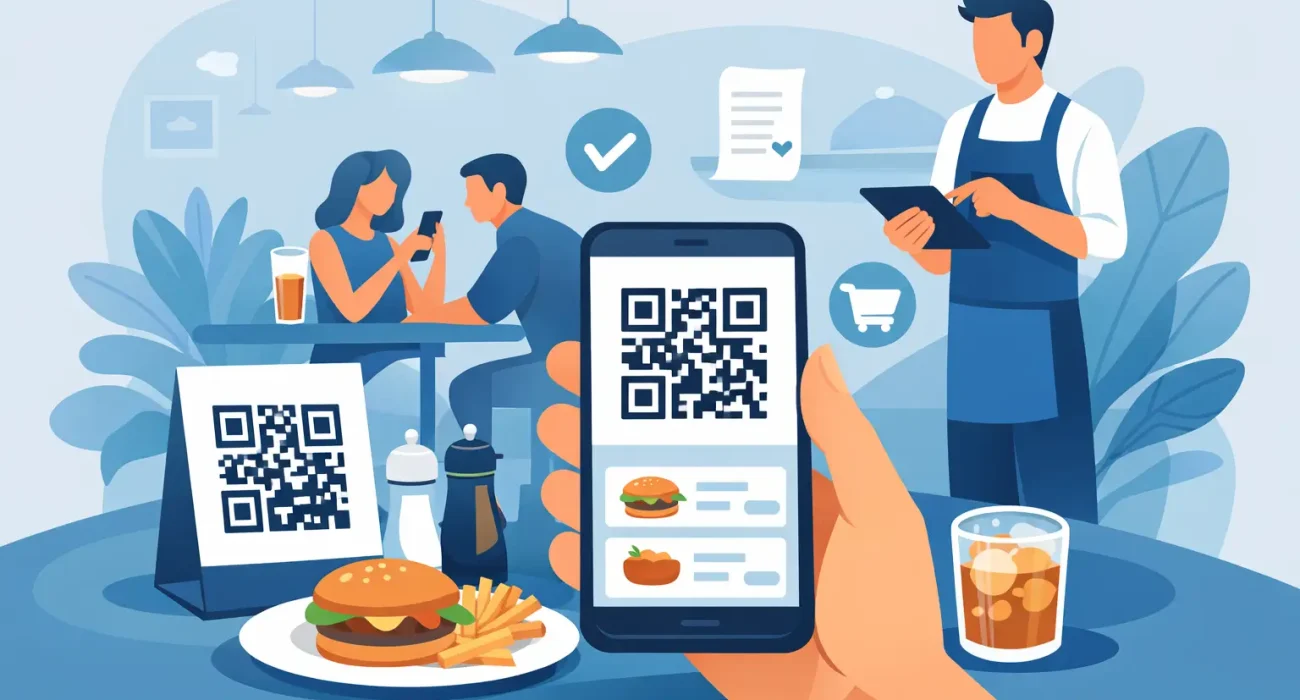
A busy lunch rush exposes weak systems fast. If guests are waiting for menus, staff are re-entering orders, or tables turn slowly because service is backed up, it is time to look at a better ordering flow. That is why many operators ask how to set up QR ordering in a way that actually improves service instead of creating one more disconnected tool.
QR ordering can reduce pressure on staff, speed up table-side ordering, and make menu updates easier. But results depend on how well the system is planned. A QR code on a table is the simple part. The real work is choosing the right setup behind it, connecting it to operations, and making sure customers can use it without confusion.
What QR ordering should do for your business
At its best, QR ordering gives customers a fast path from browsing to payment. They scan, view the menu on their phone, place an order, and in some cases pay immediately. For restaurants and cafes, that can mean fewer manual steps, fewer order mistakes, and better staff allocation during peak hours.
For management, the value goes beyond convenience. A well-configured system gives better control over menu changes, pricing, item availability, and promotions. It can also support cleaner reporting if it connects properly with your POS. That matters because a QR ordering tool that works separately from your core system may create more admin work than it saves.
This is where many businesses get it wrong. They focus on the code itself instead of the full ordering process. Before you decide how to set up QR ordering, define what problem you want it to solve. Faster table turnover, reduced labor pressure, better upselling, and contact-light service are all valid goals, but each one may require a slightly different setup.
How to set up QR ordering the right way
The best approach starts with operations, not design. Begin by mapping the customer journey from the moment they sit down or approach the counter. Ask what they need to see, how many steps it takes to order, how the kitchen receives the order, and how payment is handled.
If you are running a dine-in restaurant, each table usually needs a unique QR code tied to a table number. That way orders are routed correctly without staff having to confirm where the food should go. In a quick-service environment, a single code may be enough if customers order for pickup at the counter. The right structure depends on how your floor works.
Once that is clear, choose a platform that matches your operation. Some businesses only need a mobile menu with an order request sent to staff. Others need a full ordering and payment system with POS integration. If your QR ordering does not sync with inventory, kitchen workflow, or reporting, you may save time on the front end and lose it in the back office.
Step 1: Build a mobile-friendly menu
Your digital menu has to be clear on a phone screen. Keep category names simple, item descriptions short, and pricing easy to scan. Guests should not need to pinch, zoom, or search around to find popular items.
Photos can help, but only if they are consistent and do not slow down the page. A heavy, cluttered menu creates drop-off. The goal is speed. Customers should be able to scan, choose, and place an order in a few taps.
Menu logic matters too. If an item needs size choices, add-ons, or cooking preferences, those modifiers must be structured clearly. If not, staff end up correcting vague orders manually, which defeats the point of the system.
Step 2: Connect it to your POS or ordering workflow
This is the part that determines whether QR ordering feels efficient or messy. Ideally, incoming orders should flow directly into the POS and kitchen process. That reduces manual entry and lowers the chance of mistakes.
If full integration is not available, define a reliable backup process. Maybe orders print in the kitchen, or maybe a cashier dashboard receives them. Either option can work, but only if responsibilities are clear. During busy periods, weak handoff points cause delays.
Businesses in growth mode should think ahead here. A low-cost standalone tool may look attractive at first, but if it cannot scale with multiple branches, central menu management, or reporting needs, you may have to replace it sooner than expected.
Set up the customer experience, not just the software
A QR ordering system succeeds when customers understand it immediately. That means your table stickers, countertop displays, or printed materials should explain what happens after scanning. Simple prompts such as scan to view menu or scan to order and pay remove hesitation.
Test the process on different devices before launch. An ordering page that works well on one phone but loads poorly on another will hurt adoption. Check loading speed, button size, image display, language options, and payment flow.
It also helps to decide how much staff involvement you want. Some venues want QR ordering to reduce touchpoints. Others use it to support service, not replace it. In those cases, staff still greet the table, explain specials, and assist when needed while the QR system handles routine ordering. That hybrid model often works well because it keeps hospitality strong while reducing admin pressure.
Payment setup needs careful thought
Payment can be handled at the time of order, at the end of the meal, or outside the QR flow entirely. Each option has trade-offs. Pay-first reduces unpaid bills and speeds up table release, but some customers prefer to add items during the meal. Pay-later feels familiar for full-service dining, but it requires stronger order tracking.
If you offer both cash and digital payment, make that clear in the process. Confusion at checkout creates friction even if the ordering part went smoothly. The simpler the payment path, the better the customer response.
Common mistakes when setting up QR ordering
The most common issue is overcomplicating the menu. Long pages, unclear categories, and too many modifier steps slow customers down. Another frequent problem is poor code placement. If the QR code is damaged, too small, or lost in table clutter, customers will ignore it and call staff instead.
Some businesses also launch without staff training. Even if the system is designed for self-service, your team still needs to know how it works, how to troubleshoot basic issues, and how to assist guests who prefer traditional ordering. A strong rollout depends on frontline confidence.
There is also the integration issue. If orders arrive in one system, payments in another, and reports in a third, management loses visibility. A practical setup should reduce fragmentation, not add to it.
How to measure whether it is working
After launch, track more than scans. Look at order completion rates, average ticket size, service speed, and how often staff need to intervene. If scans are high but completed orders are low, the customer journey may be too complicated.
Watch guest behavior by time period as well. A system that performs well during slow hours may break down during peak traffic if the kitchen flow, Wi-Fi, or payment processing cannot keep up. Real performance shows up under pressure.
Feedback from staff is just as useful as customer comments. They will see quickly whether table mapping is accurate, modifier options make sense, and order timing fits kitchen capacity. Small adjustments in menu structure or workflow can make a major difference.
Choosing the right setup partner
If you are evaluating how to set up QR ordering for a single venue or multiple locations, support matters as much as software. You need a provider that understands menu logic, POS workflows, local operating conditions, and implementation detail. That is especially true when the goal is not just launching a tool but improving service performance.
For businesses that want one partner across digital ordering, POS systems, and operational support, working with a company such as SDQ Tek can make implementation more practical. The benefit is not only technology deployment. It is getting a setup built around real business flow, with support when adjustments are needed.
QR ordering is not a fix for every service problem. If your menu is poorly structured, kitchen workflow is inconsistent, or internet reliability is weak, those issues will still show up. But when the setup is aligned with your operation, QR ordering can remove friction where it matters most – faster ordering, cleaner handoff, and a better experience for both guests and staff.
The best systems feel easy because the planning behind them was done properly. If you treat QR ordering as part of your overall operation instead of a quick add-on, it becomes a practical tool for growth rather than another piece of software to manage.