

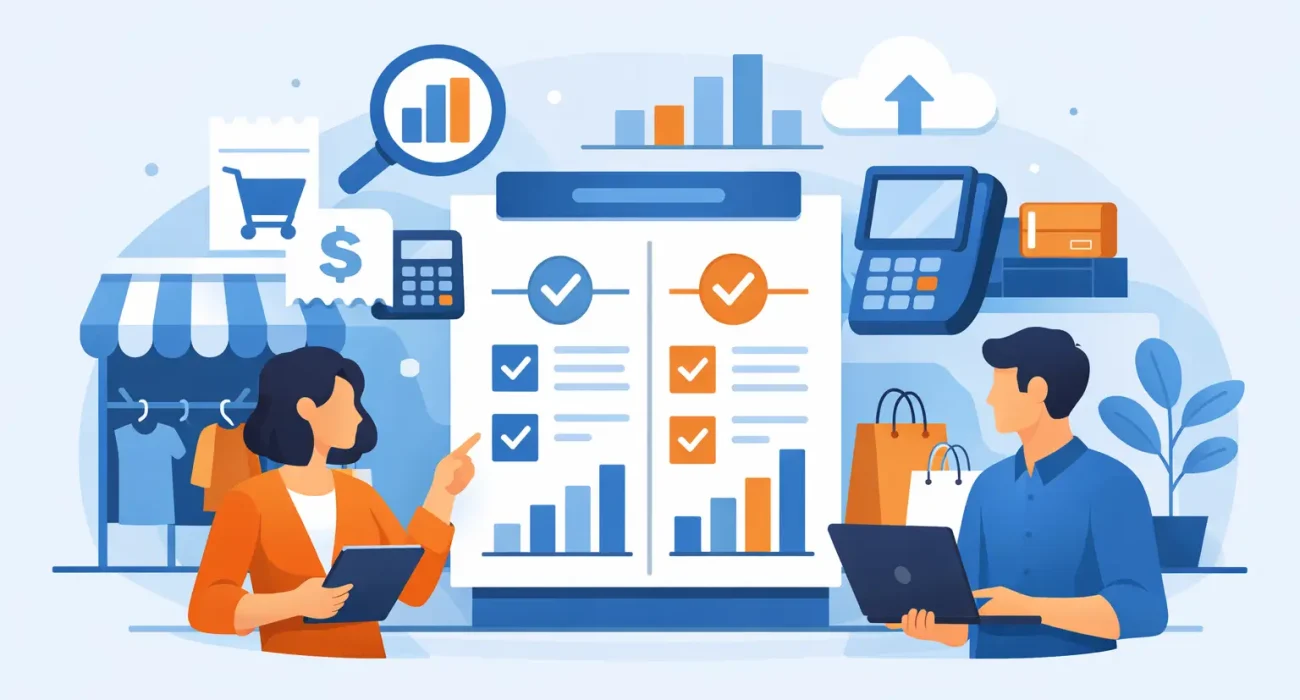
A busy checkout counter quickly exposes the limits of the wrong system. When staff must re-enter prices, search for stock manually, or explain unclear receipts to customers, every sale takes longer than it should. A practical retail billing software comparison helps store owners look beyond a low monthly price and choose technology that supports faster service, accurate records, and controlled growth.
For retailers in Qatar, the decision also includes local setup, tax and receipt requirements, payment preferences, staff training, and access to responsive support. The best platform is not necessarily the one with the longest feature list. It is the one that fits how your store actually sells.
What Retail Billing Software Should Do
Retail billing software records sales, processes payments, produces receipts, and tracks the transactions that keep a store moving. In many cases, it is part of a broader retail POS system that also handles inventory, customer details, employee access, promotions, and reporting.
At a minimum, the software should allow staff to scan or select products, apply discounts correctly, accept the payment methods your customers use, and close each shift with a clear sales record. It should reduce manual calculations, not create another task for the team.
The difference between basic billing software and a complete retail management system becomes clear as a business grows. A small specialty store may only need reliable checkout and daily reporting at first. A retailer with multiple product categories, frequent stock deliveries, or more than one branch will usually need stronger inventory controls and centralized visibility.
Retail Billing Software Comparison: The Factors That Matter
Comparing systems by price alone often leads to costly compromises later. A lower-cost option can be a sensible choice for a simple operation, but only if it does not force staff to maintain separate spreadsheets, perform stock counts without support, or call an overseas help desk when the counter is busy.
Checkout speed and ease of use
The checkout screen should be simple enough for a new cashier to learn quickly. Look at how many steps it takes to add an item, change a quantity, apply a discount, suspend a sale, process a return, and print or send a receipt.
This matters most during peak hours. A system that saves a few seconds on each transaction can improve customer flow and reduce pressure on staff. Ask to see the software used in a realistic sales scenario rather than relying only on screenshots or a feature checklist.
Inventory control that matches your catalog
Good billing software should update stock as items are sold, returned, received, or adjusted. It should show low-stock items and help managers identify products that are selling slowly or quickly.
However, inventory needs differ by retail type. A fashion store may need size, color, and style variants. A grocery or convenience store may need barcode speed, expiry awareness, and high-volume product management. A phone accessories store may need serial numbers or supplier tracking. Choose a system that supports your actual product structure without making daily tasks unnecessarily complex.
Payments, receipts, and local requirements
Confirm that the software works with the payment workflow your business needs, including cash, cards, split payments, gift vouchers, store credit, and any relevant payment terminal integration. Receipts should clearly show the transaction details your customers and accounting process require.
For businesses operating in Qatar, local implementation experience is valuable. Hardware availability, payment terminal compatibility, receipt formats, and onsite support can affect the practical success of a rollout. A capable system with poor local setup can still create problems at the counter.
Reporting that supports decisions
Daily sales totals are useful, but they are only the start. Store owners should be able to review sales by product, category, cashier, time period, branch, and payment type. These reports help identify best-selling products, weak categories, unusually high discounts, and staff performance trends.
The key question is whether reports are understandable and available when you need them. If managers have to export data and rebuild every report manually, the software is not delivering its full value. Clear dashboards can turn sales data into better purchasing and staffing decisions.
Staff permissions and accountability
A retail system should not give every user the same access. Cashiers may need to complete sales and process limited returns, while supervisors can approve larger discounts, void transactions, and view reports. Owners and managers need full visibility without sharing a single login.
Permission controls reduce avoidable losses and create accountability. Review whether the system records who made refunds, edited prices, opened the cash drawer, or adjusted inventory. These details are especially useful when several employees work across shifts.
Scalability and integrations
A business may begin with one counter and later add more terminals, branches, an online store, delivery operations, or customer loyalty programs. The right software should support that path without requiring a complete replacement after the first stage of growth.
Still, do not pay for every possible integration before you need it. A growing independent retailer may benefit more from dependable billing, stock visibility, and support than from advanced enterprise features. Compare what is available now, what can be added later, and the cost of each expansion.
Comparing Cloud and On-Premise Systems
Cloud-based billing software stores data online and can usually be accessed from authorized devices with an internet connection. It is often easier to update, can support multi-branch reporting, and gives owners access to sales information away from the store.
Its trade-off is dependency on reliable connectivity. Before choosing a cloud system, ask what happens if the internet drops during a sale. Some platforms offer offline selling with later synchronization, while others have tighter limitations.
On-premise systems run primarily on local equipment within the business. They can offer more direct local control and may continue operating during connectivity issues, depending on the setup. They can also require more hands-on maintenance, backups, updates, and technical oversight.
For many small and mid-sized retailers, a cloud-enabled POS with a clear offline plan is a practical balance. The right answer depends on branch structure, internet reliability, data access needs, and the support available after installation.
The Real Cost of Retail Billing Software
A useful comparison includes more than the subscription or license fee. Request a clear breakdown covering software, setup, POS hardware, barcode scanners, receipt printers, cash drawers, training, data migration, upgrades, and ongoing support.
Also ask about costs that appear later. These may include additional user accounts, new branches, advanced reports, inventory modules, integrations, payment processing, or priority support. Transparent pricing helps owners budget accurately and avoid building their operations around features that later require an unexpected upgrade.
The cheapest option can become expensive if it causes frequent downtime, stock errors, or a slow checkout experience. On the other hand, an enterprise-grade system can be excessive for a single-store operation with straightforward needs. Value comes from the right level of capability, backed by dependable service.
Questions to Ask Before You Commit
Before signing an agreement, ask the provider to demonstrate the exact workflows your staff will perform every day. Show them a normal sale, a return without a receipt, a discount approval, a stock delivery, a low-stock report, and an end-of-day closeout.
You should also ask who will install the hardware, train the team, migrate existing products and customer data, and provide support after launch. Clarify response times, support channels, and whether assistance is available onsite when needed. A POS system is not a one-time purchase. It becomes part of your daily operation.
SDQ Tek approaches retail technology as an operational solution, combining tailored POS implementation with practical support for businesses that need their checkout, inventory, and reporting to work together.
Make the Choice Around Your Store, Not the Demo
A polished demo can make nearly any platform look suitable. The stronger test is whether it handles your busiest hour, your most common return, your stock receiving process, and the reporting questions you ask at the end of the week.
Choose a billing system that removes friction for staff and gives management trustworthy information. When the technology fits the operation, checkout becomes faster, stock becomes easier to control, and the business has a clearer foundation for its next stage of growth.