

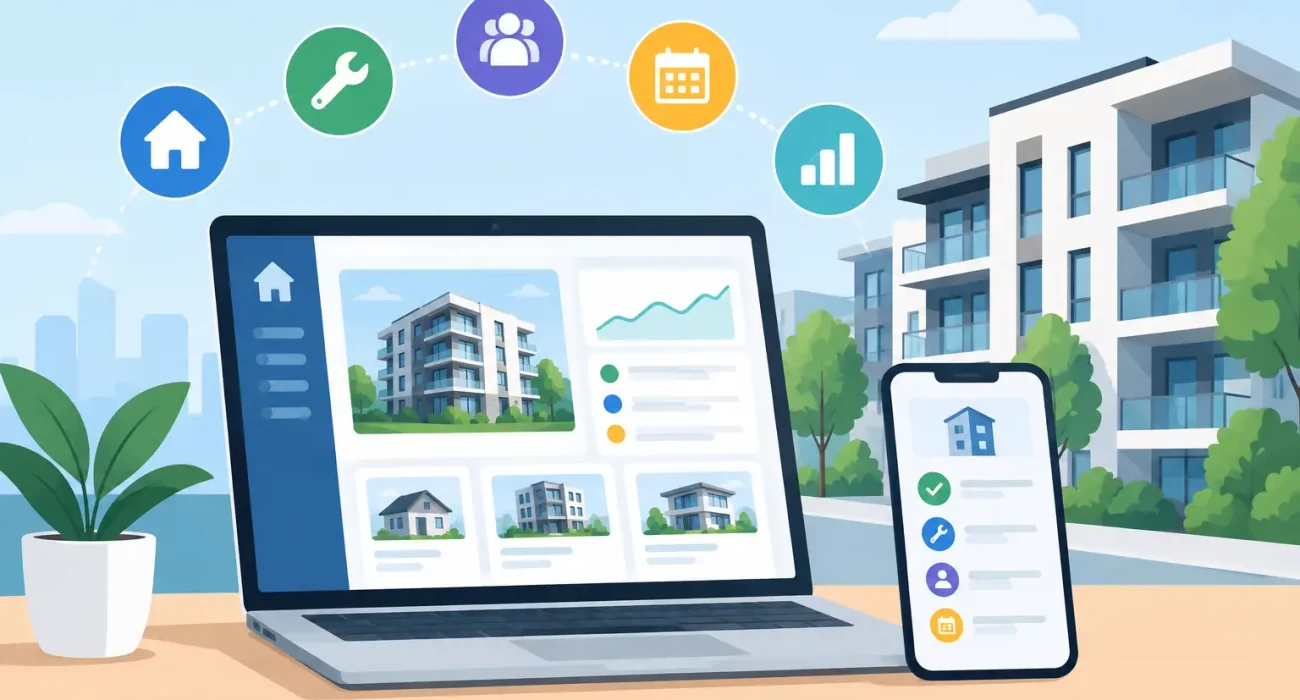
A late maintenance request, an overdue tenant payment, and an unapproved vendor invoice can each seem minor on their own. Across a growing portfolio, they quickly become lost revenue, frustrated tenants, and a team that spends more time chasing updates than managing properties. The best software for property operations brings those daily activities into one controlled, visible workflow.
For property owners and operators, the right platform is not simply a digital filing cabinet. It should help teams respond faster, keep financial records current, coordinate vendors, and give decision-makers an accurate view of each property’s performance. The best choice depends on the type of property, portfolio size, internal processes, and the level of local implementation support available.
What Property Operations Software Should Solve
Property operations covers the work required to keep a building or portfolio performing day after day. That includes leasing, resident or tenant communication, maintenance, inspections, rent collection, service contracts, accounting coordination, reporting, and compliance records. When these functions sit in separate spreadsheets, inboxes, messaging apps, and paper files, errors are almost guaranteed.
Good software creates a dependable source of information. A manager should be able to see open work orders, lease status, payment history, vendor activity, and upcoming renewals without requesting reports from several people. Staff members should know what needs attention, who owns the task, and what has already been communicated.
This visibility matters most when operations become more complex. A single building may function with simple tools and disciplined staff. Multiple residential units, commercial spaces, mixed-use properties, or off-site teams need stronger process control. Software gives leadership a way to standardize the work without treating every property exactly the same.
Best Software for Property Operations: Core Features
There is no single platform that is right for every operator. Still, the best software for property operations should cover the workflows that create the most administrative pressure and financial risk.
A practical evaluation should focus on these five areas:
- Lease and unit management: Track unit availability, lease dates, deposits, renewals, move-ins, move-outs, and tenant records in one place.
- Maintenance and vendor coordination: Allow tenants or staff to submit requests, assign work, record costs, set priorities, and maintain a history of completed repairs.
- Billing and payment visibility: Support recurring charges, payment tracking, overdue balances, receipts, and clear reporting for management and finance teams.
- Communication and documentation: Keep notices, inspection records, contracts, photos, and conversations attached to the relevant tenant, unit, or work order.
- Reporting and access control: Provide useful operational and financial reports while allowing different permissions for owners, managers, accountants, and maintenance teams.
A platform does not need every possible feature on day one. It does need to handle the processes your team uses most often with fewer manual steps. Buying a system because it has an impressive feature list can create unnecessary cost and confusion if staff only use a small portion of it.
Maintenance Workflow Is Often the Deciding Factor
Maintenance is where property software proves its value quickly. A clear request process reduces missed calls and unclear instructions. Managers can classify the issue, set the priority, assign a technician or vendor, track updates, approve costs, and close the job with documentation.
This is especially useful for recurring problems. If the same unit has repeated plumbing, air conditioning, or electrical issues, the history helps managers identify a larger asset concern rather than treating each incident as isolated. That supports better budgeting and more informed conversations with vendors.
Look for software that works well on mobile devices if field staff will use it. A maintenance coordinator at a desk has different needs from a technician uploading photos and job updates while on site. The process should be simple enough that people will actually use it consistently.
Financial Features Need Clear Boundaries
Some property platforms include full accounting capabilities. Others handle charges, payments, and property-level reporting while connecting with separate accounting software. Neither approach is automatically better.
An integrated system can reduce duplicate data entry for operators with straightforward financial structures. A separate accounting system may make more sense when a company already has established finance controls, external accountants, or detailed reporting requirements. The key question is whether data moves reliably between operations and finance without staff re-entering the same information.
Before choosing a system, confirm how it handles deposits, service charges, owner reporting, vendor invoices, approvals, and payment exceptions. A polished dashboard is not enough if the underlying financial workflow does not match how the business operates.
Match the Platform to Your Property Model
Residential operators often need strong tenant portals, online payment tools, maintenance tracking, and renewal management. Commercial property teams may place greater weight on lease terms, contract dates, tenant billing structures, compliance documents, and vendor management. Mixed-use portfolios require flexibility because residential and commercial workflows do not always follow the same rules.
Short-term rental and hospitality-focused properties have additional requirements, including housekeeping coordination, occupancy status, guest communication, and integration with booking channels. A conventional long-term leasing platform may not provide the speed or operational detail these teams require.
It also matters whether your properties are owner-managed, managed for clients, or part of a larger investment group. Third-party management companies often need detailed owner statements, role-based access, and reporting that can be customized by client. Owner-operators may prioritize speed, simple oversight, and a clear view of cash flow.
Evaluate Implementation, Not Just the Demo
Software demonstrations are designed to show ideal workflows. Your decision should be based on what happens after the contract is signed. Ask how existing tenant, unit, lease, and payment data will be moved into the new system. Ask who will configure permissions, forms, notifications, approval rules, and reporting fields.
Training is equally important. If property managers, accountants, front-desk staff, maintenance teams, and vendors use different parts of the system, each group needs a focused onboarding plan. The objective is not to teach every feature. It is to make critical workflows consistent from the first week.
For businesses operating in Qatar, local responsiveness can be a significant advantage. Time zones, local billing practices, bilingual communication needs, and on-site training can affect adoption more than a feature comparison chart suggests. A capable technology partner should understand the operational environment, tailor the setup, and remain available when a process needs adjustment.
SDQ Tek supports this approach by combining property management software implementation with practical business technology guidance and ongoing support. The goal is to help property teams use technology as an operating system for the business, not as another disconnected tool.
Questions to Ask Before You Buy
Start with the problems that cost your team the most time. Is it collecting updates from maintenance staff? Tracking renewals? Confirming which invoices are approved? Responding to tenant requests? The answers should shape your software priorities.
Then ask the provider to demonstrate your real scenarios, not generic examples. Request a walkthrough of a late payment, an emergency work order, a lease renewal, a vendor invoice, and a monthly management report. If the process is awkward in a demonstration, it will not improve when your team is under pressure.
You should also clarify support terms, data ownership, security controls, mobile access, integration options, pricing as the portfolio grows, and the effort required to export data later. Switching software is disruptive, so a low entry price is not the only cost to consider.
Choose for Daily Control, Not Feature Volume
The right property operations software makes accountability easier. It gives managers a current view of work, makes tenant communication more organized, and helps owners see where performance is improving or slipping. It should reduce follow-up work rather than create another place for staff to check.
Begin with the workflows that affect revenue, service quality, and compliance every week. A well-configured platform with responsive support will deliver more value than a complex system that no one fully adopts. The best next step is to map one property’s daily process honestly, then select software that makes that work clearer, faster, and easier to manage.