

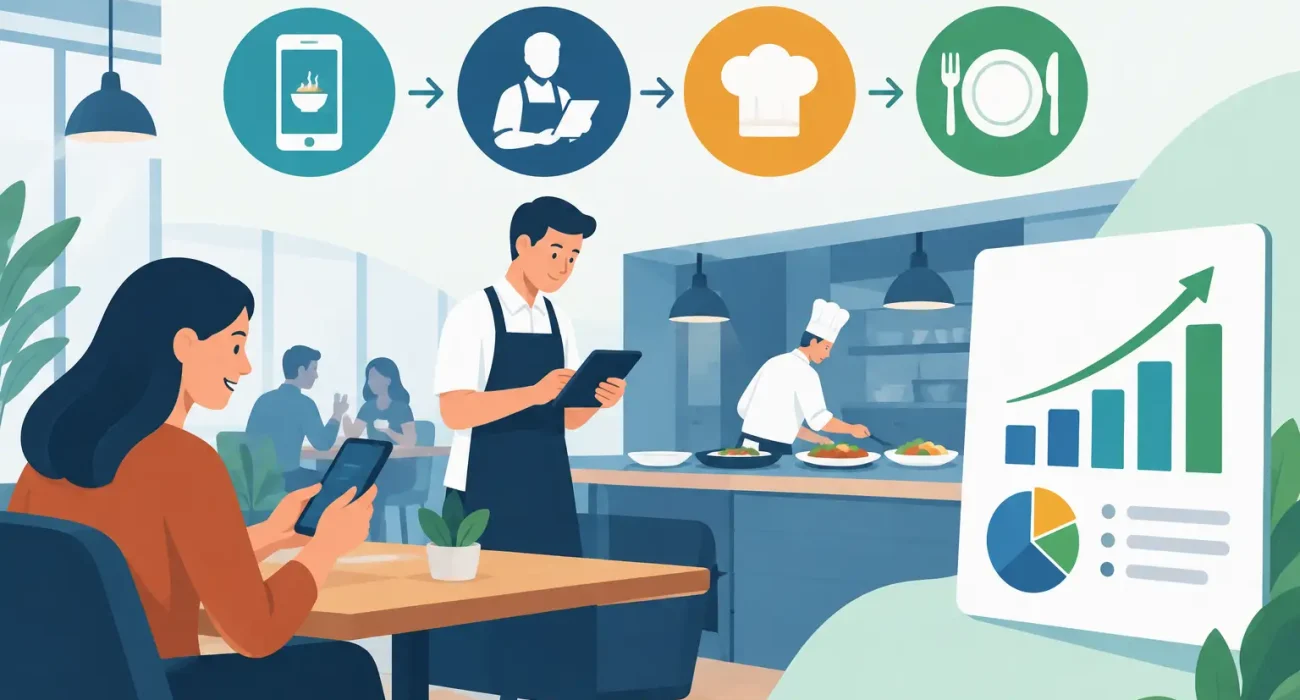
Friday dinner service was the point where the problems became impossible to ignore. Servers were walking handwritten tickets to the kitchen, phone orders were written on loose paper, and online orders had to be re-entered at the register. A missing modifier or unclear handwriting could turn a simple order into a remake, a delayed table, and an unhappy guest.
This restaurant ordering workflow case study examines how a busy casual dining restaurant could replace that fragmented process with a connected ordering operation. The goal was not to add technology for its own sake. It was to reduce avoidable errors, give the kitchen clearer information, shorten staff handoffs, and give management better visibility into daily performance.
The operating challenge behind the counter
The restaurant served dine-in guests, pickup customers, and delivery orders from one kitchen. Its menu was broad enough to require modifiers, add-ons, allergy notes, and occasional item substitutions. During quiet periods, the existing process was manageable. During peak periods, it created friction at every stage.
A server might take an order at the table, return to the counter, and wait for access to the register. A phone order could arrive at the same time as a customer wanting to pay. Kitchen staff then had to interpret tickets from multiple sources, often with inconsistent shorthand. If an item was unavailable, the update did not always reach every employee or ordering channel immediately.
The result was not simply a technology issue. It affected labor use, food cost, customer experience, and management confidence. Staff spent time asking for clarification instead of serving guests. Remakes reduced margins. Managers could see end-of-day sales totals, but they had limited detail about where delays and order mistakes began.
The restaurant needed a practical workflow that fit its service style. A large, complex setup would not help if staff found it difficult to use during a rush.
Restaurant ordering workflow case study: the redesigned process
The recommended approach centered on a restaurant POS system that connected order capture, kitchen routing, payment, and reporting. QR code menus were added as an option for guests who preferred to browse and order from their phones, while staff-led ordering remained available for a more traditional service experience.
This distinction mattered. QR ordering can reduce waiting time and help customers review menu details at their own pace, but it should not replace attentive service in every restaurant. For a venue where hospitality and personal recommendations are central to the brand, staff should remain visible and available. Technology should remove repetitive steps, not create distance between the guest and the team.
One menu, controlled updates
The first improvement was creating one centrally managed digital menu. Each item included its price, modifiers, preparation notes, and availability status. When a dish sold out, an authorized team member could mark it unavailable rather than relying on verbal updates across the restaurant.
This reduced one of the most common sources of frustration: accepting an order for an item that the kitchen could not prepare. It also made seasonal pricing and menu updates more controlled. Instead of changing information in several disconnected places, the restaurant worked from one operational source of truth.
Orders routed by destination, not by guesswork
The workflow then separated orders according to where they needed to go. Food items routed to the kitchen display or printer, bar items routed to the beverage station, and completed orders became visible to the front-of-house team. Special instructions traveled with the order rather than being repeated verbally.
That routing logic is often more valuable than speed alone. A kitchen can only work efficiently when tickets arrive in the right sequence, with complete details and a clear order type. Dine-in, pickup, and delivery orders may need different packaging, timing, and handoff procedures. The system should reflect those real operational differences.
For example, a pickup order needs the customer name and promised collection time. A dine-in order needs a table number and course timing. A delivery order may require address confirmation and platform-specific instructions. Treating every order as the same ticket creates unnecessary confusion.
Payment and order status in the same system
Before the redesign, payment data and kitchen activity had little connection. A guest could pay at the counter while staff still needed to confirm whether the food had been prepared. After the workflow update, the order status could be tracked from entry through preparation and completion.
This helped the team answer customer questions with more confidence. Rather than calling into the kitchen or searching through paper tickets, employees could check the order record. It also made shift handovers easier because open orders remained visible in the system.
What changed during service
The most immediate improvement was fewer interruptions. Servers no longer needed to leave the floor simply to submit an order, and kitchen staff spent less time decoding handwritten requests. Managers could identify bottlenecks earlier, particularly when a specific station was falling behind.
The restaurant also gained cleaner reporting. Sales could be reviewed by item, channel, employee, time period, and order type. That information supports better decisions, but only when the business uses it consistently. A report showing strong sales for an item is useful. A report showing that the item is frequently modified, remade, or returned may tell a more complete story.
The operational gains typically appear in several areas:
- Fewer order-entry mistakes caused by handwriting, verbal handoffs, or missed modifiers.
- Faster communication between front-of-house staff, the kitchen, and payment points.
- More reliable item availability across staff-led and QR ordering channels.
- Better visibility into peak demand, popular products, and service delays.
These outcomes should be measured against the restaurant’s own baseline. A small counter-service location will assess success differently from a full-service restaurant with table management, delivery partners, and multiple kitchen stations.
The trade-offs that required attention
A connected ordering workflow is not a cure for poor process design. If the menu has unclear modifiers, if kitchen responsibilities are undefined, or if staff are not trained on exceptions, the same problems can appear in digital form.
The restaurant therefore treated implementation as an operational project, not an installation appointment. Menu data was reviewed before launch. Modifiers were simplified where possible. Staff practiced common scenarios, including split bills, unavailable items, order corrections, refunds, and guest requests made after an order reached the kitchen.
Connectivity and support also mattered. Restaurants cannot afford lengthy downtime during service. The setup needed dependable local support, a clear fallback process for internet interruptions, and staff who knew how to continue operating if a device failed. For businesses in Qatar, localized implementation is particularly valuable because workflows, payment preferences, language requirements, and peak service patterns vary by concept and location.
There was also a customer adoption question. Not every guest wants to scan a QR code, and not every restaurant benefits from pushing every order through a phone. The best approach was to offer choice: QR code menus for convenience, trained staff for service, and a POS workflow that kept both channels aligned.
How management should evaluate the results
A restaurant should not judge a new workflow only by the first week of sales. Early results can be affected by staff learning curves, menu adjustments, and seasonal demand. A better evaluation compares a consistent period before and after implementation, then looks at operational indicators alongside revenue.
Useful indicators include average ticket time, remake frequency, voids and discounts, order volume by channel, labor time spent on manual entry, and customer complaints related to accuracy or delays. Management should also ask staff where they still experience friction. Employees often identify small workflow gaps before they become expensive habits.
A strong technology partner can help translate these findings into practical updates. That may mean changing a kitchen routing rule, refining a modifier screen, updating a QR menu layout, or providing additional training for managers. SDQ Tek approaches restaurant technology as an ongoing business system, supported by responsive implementation rather than a one-time software handoff.
A better workflow starts with the real service pattern
The lesson from this case is straightforward: restaurant ordering improves when every order follows a clear path from guest choice to kitchen production, payment, and reporting. The right system should make that path easier for staff and clearer for management, without forcing the restaurant to abandon the service style that customers value.
Before choosing a solution, map one busy hour honestly. Track where orders are written, entered, changed, delayed, prepared, paid for, and handed off. The gaps in that journey will show where the next operational improvement should begin.