

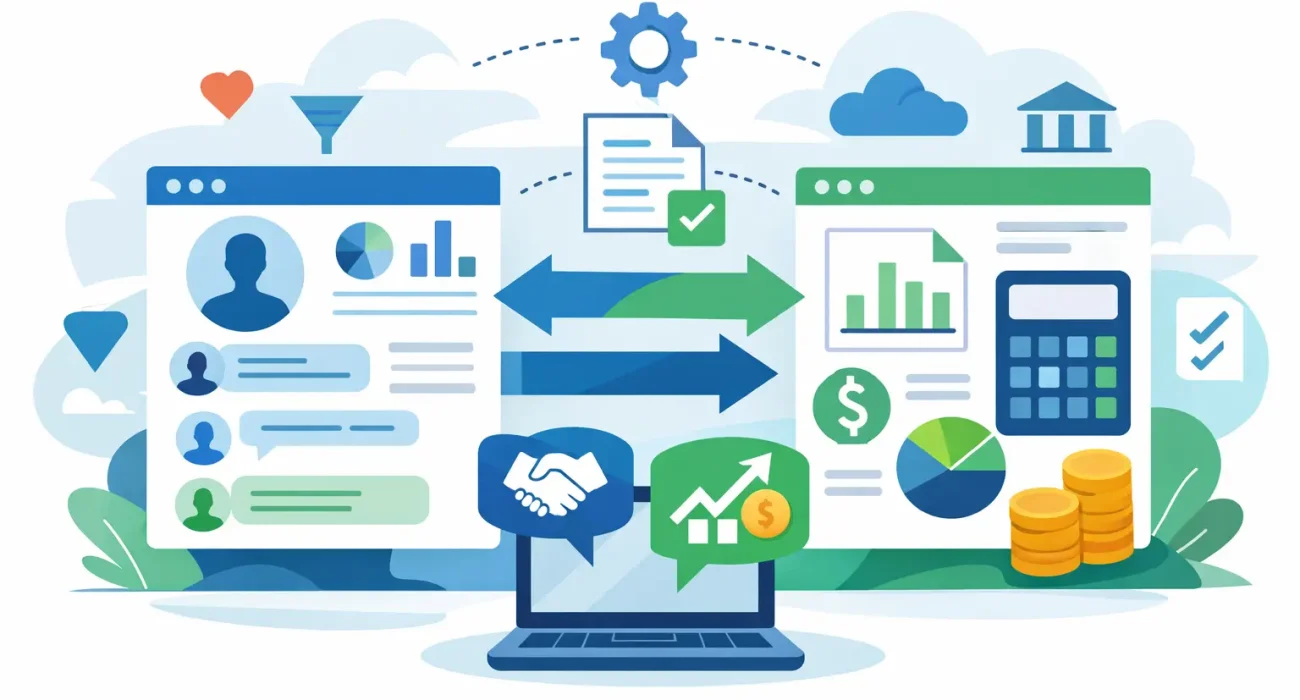
A sales team closes a deal, but finance still has to re-enter the customer data, recreate the invoice, and chase missing details before payment goes out. That gap is exactly why crm and accounting software integration matters. When customer records, invoices, payments, and sales activity live in separate systems, small delays turn into larger operational problems.
For growing businesses, that problem shows up fast. A retailer may have customer data in one place and payment records in another. A property business may track leads in its CRM but manage billing in accounting software with no shared visibility. A restaurant group may know which clients buy most often, yet struggle to connect that information with actual revenue. Integration helps close those gaps so teams can work from the same business picture.
Why crm and accounting software integration matters
At a practical level, integration reduces repeated manual work. Your team does not need to enter the same customer name, company details, tax information, payment status, or invoice history in multiple places. That saves time, but more importantly, it reduces the kinds of mistakes that create billing disputes, reporting issues, and delayed collections.
It also improves decision-making. Sales can see whether an account is current or overdue before pushing a renewal. Finance can see what deals are in the pipeline and prepare for expected revenue. Management gets a more accurate view of customer value, not just activity on the sales side or numbers on the finance side in isolation.
This becomes even more valuable in businesses where speed matters. If you are handling a high volume of transactions, recurring billing, or multiple customer touchpoints, disconnected systems create friction at every stage. Integration removes much of that friction and gives your business a cleaner workflow from first inquiry to final payment.
What actually gets connected
Not every integration works the same way, and that is where many businesses make assumptions too early. Some integrations only sync basic contact records. Others connect customer profiles, estimates, invoices, tax settings, payment status, credit notes, and account balances. The right setup depends on how your business operates.
In many cases, the most useful connection points are customer records, quotation or sales order data, invoice creation, payment tracking, and account status. If a customer is added in the CRM, the accounting platform should not need a second manual setup. If a quote is approved, finance should be able to act on that information without waiting for emails or spreadsheets.
A strong integration should also support how your teams actually work. If sales needs visibility into outstanding balances, that should be part of the flow. If finance needs to validate tax or legal entity details before invoicing, that process has to be built in as well. Good integration is not just about moving data. It is about moving the right data at the right time.
The business benefits beyond efficiency
Most companies start this process because they want to save time. That is valid, but the bigger value is often in control.
When CRM and finance systems are aligned, reporting gets more reliable. You can measure which customers generate the most revenue, which sales channels produce the best-paying accounts, and where delays are happening between closing a deal and collecting payment. Those insights are difficult to trust when information is split across disconnected tools.
There is also a customer service benefit. If your team can quickly confirm invoice status, payment history, contract details, or account notes, customer conversations become faster and more professional. That matters whether you run a retail operation, a service company, or a multi-location business.
Cash flow can improve too. Faster invoice generation and fewer billing errors often mean faster payment cycles. For smaller and mid-sized businesses, that operational improvement can have a direct effect on day-to-day stability.
Common issues businesses face during integration
The idea is simple. The execution often is not.
One common issue is mismatched data. Your CRM may store customer names one way, while accounting software uses different rules for legal entity names, tax numbers, or billing contacts. If those fields are not mapped properly, the sync can create duplicates or incomplete records.
Another issue is process conflict. Sales teams usually want speed. Finance teams need accuracy and control. If the integration is designed without both sides in mind, one team ends up working around the system instead of using it properly.
There is also the question of timing. Some businesses need real-time syncing. Others do better with scheduled updates and approval steps. Real-time sounds better on paper, but it is not always the right choice if transactions need review before posting to finance.
Software limitations matter as well. Some platforms offer native integration, while others require middleware or custom development. Native options can be faster to deploy, but they may not support the exact workflow your business needs. Custom integrations offer more flexibility, but they require stronger planning, testing, and support.
How to approach crm and accounting software integration the right way
The best starting point is not the software. It is your process.
Before connecting anything, define how customer data should enter the system, when an opportunity becomes billable, who approves invoices, and what finance needs to receive from sales. If those decisions are unclear, integration may simply transfer confusion from one platform to another.
Next, identify the fields and actions that truly matter. Many businesses overbuild at the start and end up with a complex setup that is difficult to manage. Focus first on the data that affects revenue, billing, collections, and customer visibility. That usually gives the fastest return.
Testing should be treated as a business exercise, not just a technical one. Use real examples. Check how a new lead becomes a customer. Confirm how a quote turns into an invoice. Review what happens when a payment is partial, delayed, or credited. These situations reveal whether the integration supports real operations or only ideal scenarios.
Training matters more than many teams expect. Even a well-built integration can fail if users do not understand what should happen in the CRM versus the accounting platform. Teams need clear ownership, clear steps, and clear exceptions.
When a tailored setup makes more sense
Off-the-shelf integration can work well for straightforward businesses with standard workflows. But if your operation has multiple branches, varied billing models, or industry-specific processes, a more tailored setup may be the better investment.
This is especially relevant in markets where local business requirements affect invoicing, tax handling, approvals, or operational reporting. A generic implementation may connect systems technically while still falling short operationally. Businesses in Qatar often need more than a plug-and-play approach. They need a setup that fits their actual workflow, team structure, and reporting expectations.
That is where working with a hands-on technology partner can make a measurable difference. SDQ Tek supports businesses that need practical implementation, not just software activation. The value is in building a system that fits daily operations and stays reliable after launch.
What to look for before you invest
If you are considering integration, ask a few direct questions before making a decision. Will the setup reduce manual entry in a meaningful way? Will it improve billing accuracy? Will sales and finance both gain useful visibility? And just as important, who will support the system when something changes?
The right answer is not always the most advanced option. Sometimes the better choice is a simpler integration with clean logic and dependable support. For many small and mid-sized businesses, consistency beats complexity.
You should also think beyond the initial connection. As your company grows, you may add locations, services, sales channels, or reporting needs. Integration should support that growth instead of forcing a rebuild every time your process evolves.
Businesses do not usually lose time because one system is bad. They lose time because their systems do not work together. Getting crm and accounting software integration right gives your team a stronger operational foundation, better financial visibility, and fewer avoidable delays. If your current process still depends on re-entry, follow-up emails, and spreadsheet fixes, that is usually a sign the systems need to start talking to each other properly.
The best technology setup is not the one with the most features. It is the one that makes everyday work easier, clearer, and more dependable for the people running the business.