

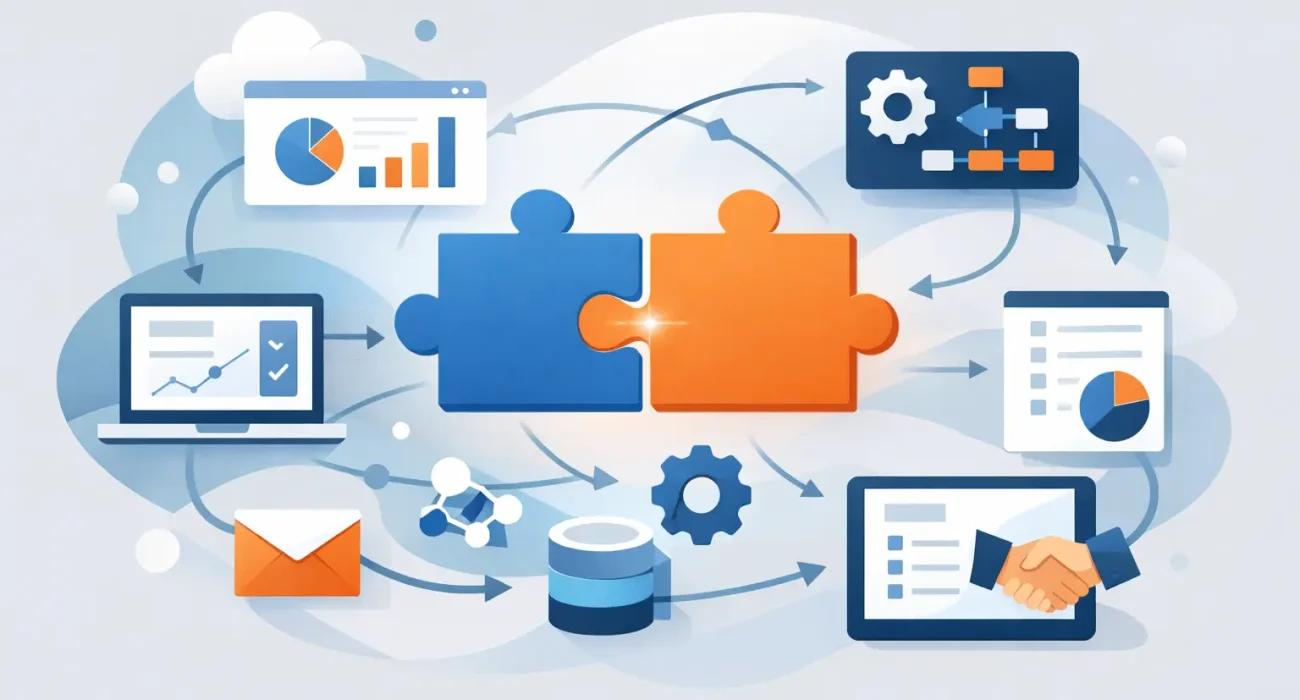
If your team is still copying sales data from one system into another, chasing inventory updates across spreadsheets, or switching between platforms just to complete one task, the cost is already showing up in your business. A smart guide to business software integration starts with that reality: disconnected systems slow down decisions, create errors, and make growth harder than it needs to be.
For many businesses, the issue is not a lack of software. It is too much software that was added at different stages without a clear plan for how everything should work together. A retailer may have a POS system, accounting software, inventory tools, and an e-commerce platform. A restaurant may manage orders, staff schedules, delivery platforms, and reporting in separate places. A property business may track leads, contracts, maintenance, and marketing through disconnected tools. Integration is what turns those systems from isolated tools into a working business environment.
What business software integration actually means
Business software integration is the process of connecting your key systems so data moves where it should, when it should, without unnecessary manual work. That can be a simple connection between your POS and accounting platform, or a broader setup that links sales, inventory, customer records, payments, reporting, and marketing.
The goal is not to connect everything for the sake of it. The goal is to remove friction from daily operations. When your software is integrated properly, staff spend less time re-entering data, managers get more accurate reporting, and leadership can make decisions based on current information rather than delayed updates.
This matters even more for growing businesses. The more transactions, locations, staff, and customer touchpoints you manage, the more expensive disconnected systems become. What feels manageable at one location can quickly become a daily operational problem across multiple branches or departments.
A guide to business software integration for growing companies
The best approach is practical, not overly technical. Before discussing platforms or connectors, you need a clear view of how your business runs today. Start by identifying where information begins, where it needs to go, and where the current process breaks down.
In many companies, the biggest problems appear in a few familiar places. Sales data does not match inventory numbers. Online orders need to be entered manually into another system. Customer details sit in different databases. Finance teams wait too long for clean reports. Marketing campaigns bring in leads that are not tracked properly by sales or operations. These are not just software issues. They affect speed, accountability, and customer experience.
A useful integration plan begins with business priorities. If your biggest challenge is stock accuracy, focus there first. If your issue is slow reporting across locations, prioritize the systems that affect visibility. If customer follow-up is inconsistent, look at the connection between lead sources, CRM tools, and sales workflows. Integration should support the outcome that matters most to the business right now.
Start with your core systems
Not every tool deserves immediate attention. Most businesses should begin with the systems that handle transactions, operations, and reporting. That often includes POS, accounting, inventory, CRM, ERP, order management, or property management software, depending on the business model.
These systems usually hold the data that keeps the company moving. When they operate separately, teams create workarounds. Those workarounds may keep things running for a while, but they also create dependency on specific staff, increase human error, and reduce confidence in reports.
It helps to ask a simple question: if this system is wrong or delayed, what does it affect? If the answer is sales, cash flow, stock levels, customer service, or management reporting, it belongs high on the integration list.
Choose the right integration method
There is no single setup that fits every company. Some software products already include direct integrations. In that case, implementation may be straightforward if the connection matches your workflow. Other times, a middleware platform or custom API work is needed to connect systems properly.
Direct integrations are often faster and more cost-effective, but they can be limited. A built-in connection may sync only certain fields or update on a schedule that does not suit your operation. Custom integration gives more control, though it usually requires more planning, testing, and long-term support.
This is where many businesses make an expensive mistake. They choose the cheapest connection available, then discover later that it does not reflect how the business actually works. Good integration is not only about technical compatibility. It must fit your process, your reporting needs, and the way your team uses the system every day.
Clean data matters more than most businesses expect
Even the best integration will struggle if your data is inconsistent. Duplicate product names, incomplete customer records, mismatched SKU structures, and unclear user permissions can all create problems once systems start syncing.
Before integration begins, review the quality of the information inside your existing tools. Make sure naming conventions are consistent. Confirm which system will act as the main source of truth for each type of data. For example, your accounting platform may own payment records, while your POS controls product-level sales data, and your CRM manages customer interactions.
Without these decisions, integration can spread bad data faster rather than solving the issue. That is why preparation matters. A successful project often depends as much on data discipline and process clarity as on the software itself.
Plan around operations, not just IT
Software integration should never be treated as an isolated technical task. It affects front-line staff, managers, finance teams, and customer-facing workflows. If those teams are not considered early, the result may be a technically working solution that people avoid using.
A better approach is to map the operational reality. What happens at the counter, in the back office, during stock receipt, at month-end reporting, or when a customer submits an inquiry online? Where do delays happen? Where do staff double-handle information? These are the moments integration should improve.
For businesses in fast-moving sectors such as retail, hospitality, and property operations, timing matters as much as functionality. An integration that updates too slowly or breaks during peak trading hours can create more disruption than value. Testing should reflect actual business conditions, not just ideal scenarios.
The business case is usually clearer than expected
Some decision-makers delay integration because they see it as a technical upgrade rather than a business investment. In practice, the return often shows up quickly through labor savings, fewer reporting errors, tighter stock control, faster customer response times, and better management visibility.
There are also less obvious gains. Staff confidence improves when systems are reliable. Training becomes easier when workflows are consistent. Leadership spends less time questioning the numbers and more time acting on them. For businesses planning expansion, integrated systems also create a stronger foundation for adding locations, channels, or services.
That said, not every integration project delivers immediate savings in every area. Some projects are about risk reduction rather than short-term cost cuts. Others support future growth by removing constraints before they become serious operational problems. The right benchmark depends on what the business needs most.
What to look for in an integration partner
If your internal team does not manage software architecture or implementation regularly, the partner you choose matters. You need more than a developer who can connect systems. You need a team that understands operations, asks practical questions, and can align the setup with how your business actually runs.
That is especially important for companies that need tailored implementation, local responsiveness, and ongoing support rather than a one-time technical job. In Qatar, many businesses also need solutions that reflect regional workflows, compliance expectations, and the pace of local operations. A partner such as SDQ Tek can add value by connecting business systems with a broader view of operational efficiency and digital growth, instead of treating integration as a stand-alone task.
A reliable partner should help define scope clearly, flag limitations early, and explain trade-offs in plain language. Not every feature request should be approved. Sometimes the better move is simplifying a workflow instead of building a complex workaround that becomes harder to support later.
Common mistakes to avoid in a guide to business software integration
The most common mistake is trying to integrate too much at once. Large projects can work, but many businesses benefit from a phased approach that solves one high-impact issue first and builds from there.
Another mistake is ignoring user adoption. If the new process is unclear, inconvenient, or poorly trained, teams will return to manual habits. Businesses also run into trouble when they skip testing, underestimate data cleanup, or fail to assign ownership after launch.
Integration is not finished the day the connection goes live. Systems change, business rules evolve, and new channels are added. Someone needs to monitor performance, review exceptions, and make sure the setup continues to support the business as it grows.
The best integration projects are not the most complicated. They are the ones that reduce friction in a measurable way, support better decisions, and give your team more time to focus on running the business. If your software stack feels harder to manage than the business itself, that is usually the signal to fix the connections, not just add another tool.