

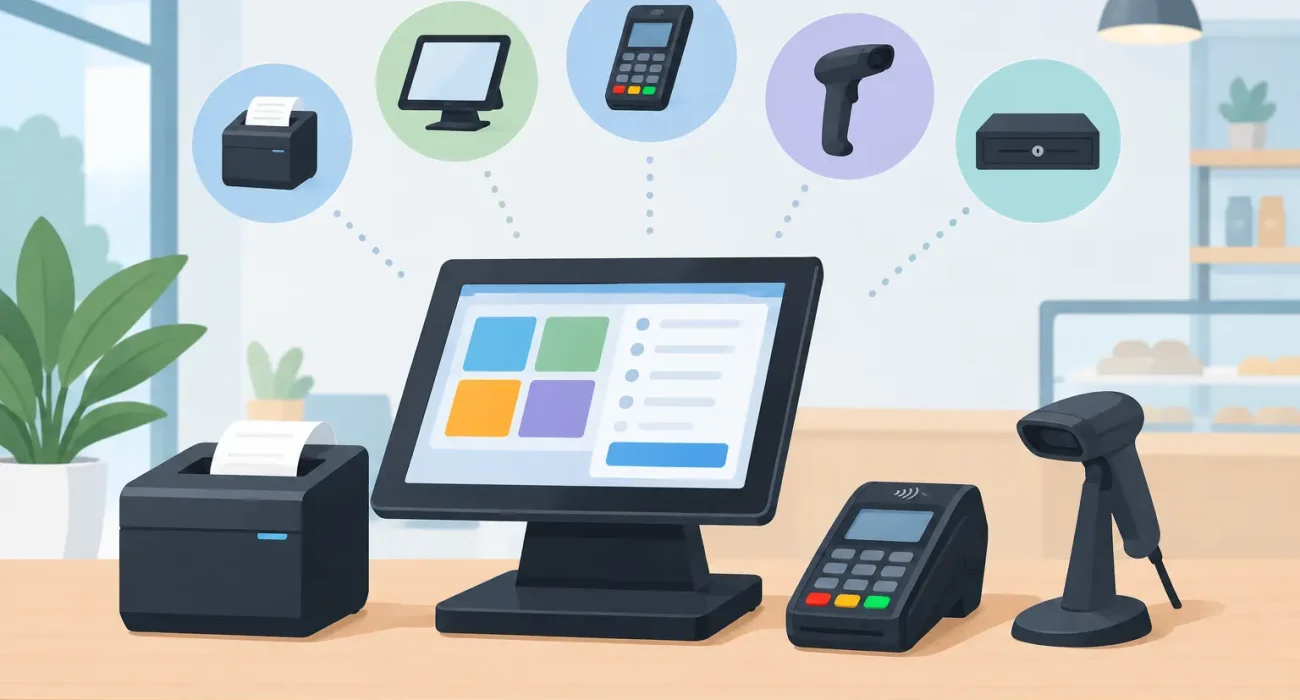
A busy lunch service is not the time to discover that a receipt printer jams, a payment terminal loses connection, or a tablet battery cannot last through the shift. A practical guide to selecting POS hardware starts with the real conditions of your business, not with a device catalog. The right setup helps your team serve faster, reduce errors, protect revenue, and keep operations moving when demand increases.
For restaurants, retailers, cafes, and service businesses, POS hardware is the physical foundation of the system your staff uses every day. Software determines what the system can do, but terminals, scanners, printers, drawers, and payment devices determine whether your team can do it reliably at the counter, at the table, or on the shop floor.
Start With Your Day-to-Day Workflow
Before comparing models or pricing, map the journey of a typical sale. Consider where orders begin, where payment happens, where receipts are needed, and who needs access to sales information. A small boutique with a single checkout counter has different requirements from a restaurant with table service, delivery orders, and a high-volume kitchen.
For a retail business, the priority may be a fast barcode scanner, a dependable cash drawer, and a customer-facing display that confirms pricing. For a cafe, the better investment may be a compact terminal, card payment device, kitchen printer, and a screen that can withstand frequent use. Full-service restaurants often need several order-taking devices, kitchen display screens, receipt printers in separate work areas, and payment hardware that can travel to the customer.
Do not buy hardware based only on what works today. Ask where bottlenecks occur during your busiest hour. If staff members regularly walk back and forth to one fixed terminal, mobile ordering hardware may save more time than another counter printer. If returns and price disputes take too long, a customer display and barcode workflow may create a clearer checkout experience.
Choose the Right POS Terminal Format
The terminal is the central workstation for most businesses. It can be a fixed countertop unit, a tablet-based system, a handheld device, or a combination of these options. The best choice depends on space, transaction volume, staff movement, and the level of durability required.
A fixed terminal is usually a strong fit for high-volume checkout areas. It stays in one place, connects easily to printers and drawers, and gives staff a familiar workstation. It also works well when multiple peripherals are needed at the same counter.
Tablet-based POS systems are flexible and often cost less to expand. They suit smaller stores, cafes, salons, and businesses that want a clean counter layout. However, consumer tablets require careful protection. A commercial-grade stand, secure charging arrangement, and durable case matter when the device is used constantly by multiple employees.
Handheld terminals work especially well for table service, curbside pickup, line-busting in retail, and warehouse-style stock checks. They improve speed because employees can take orders and payments where customers are. The trade-off is that they need reliable Wi-Fi coverage, charging discipline, and clear staff procedures to prevent lost or unaccounted-for devices.
Consider Durability, Not Just Appearance
A sleek screen may look good during installation, but daily operations are harder on hardware than most owners expect. Heat, dust, spills, grease, repeated cleaning, and long operating hours affect performance. Restaurant hardware should be chosen with kitchen and service conditions in mind, while retail equipment should handle frequent scans, receipt printing, and employee turnover.
Commercial POS equipment generally costs more than consumer devices, but it is built for repeated use and easier replacement of individual components. The decision depends on your environment. A low-traffic office counter may be fine with a simpler setup. A busy restaurant or retail operation should prioritize equipment designed for continuous commercial use.
Select Payment Hardware Around Your Customers
Payment is the moment where a sale becomes revenue. Your payment terminal should accept the payment methods your customers actually use, including chip cards, contactless payments, mobile wallets, and any locally relevant payment options supported by your provider.
Look beyond acceptance methods. Consider how the device connects, how quickly transactions process, and what happens when the internet connection is unstable. Some terminals rely on Wi-Fi, while others use wired connections or mobile data. A fixed checkout counter may benefit from a wired setup for consistency. A delivery-focused or table-service business may need portable terminals with secure mobile connectivity.
Also confirm compatibility before purchasing. POS software, payment processors, and terminals do not always work together without additional configuration. Choosing hardware first and asking about software compatibility later can lead to unnecessary cost, duplicate equipment, or limited features at checkout.
Match Printers, Scanners, and Drawers to the Job
Peripheral hardware is often treated as an afterthought, yet it can create daily frustration when selected poorly. A receipt printer must match transaction volume and counter space. A kitchen printer must be placed where tickets are visible, protected from heat and moisture, and easy for staff to reload during service.
Thermal receipt printers are common because they are quick and do not require ink cartridges. They are a practical choice for customer receipts and kitchen tickets, although paper supply and proper maintenance still matter. In operations with several preparation stations, separate printers or kitchen display screens can prevent orders from being missed or delayed.
Barcode scanners should be selected based on the products you sell. A basic scanner may be enough for standard printed barcodes. Retailers with damaged labels, small items, or barcodes displayed on phone screens may benefit from a higher-performance 2D scanner. Test scanning speed before making a decision, especially if checkout queues are common.
Cash drawers should be secure, compatible with the printer or terminal, and sized for your cash-handling process. Even businesses that receive mostly card payments need a clear policy for cash, refunds, float amounts, and shift handovers.
Plan for Connectivity and Power Protection
POS hardware is only as dependable as the network supporting it. Weak Wi-Fi can interrupt mobile orders, delay payments, and create confusion between the front counter and kitchen. Before installation, assess coverage in every area where a device will operate, including outdoor seating, stock rooms, and back-office spaces.
For core equipment, wired internet connections are often preferable when possible. They reduce reliance on wireless signal strength and can provide more consistent communication between terminals, printers, and back-office systems. Wi-Fi remains valuable for handheld units, but it should be managed as business infrastructure, not treated like a guest network.
Power interruptions also deserve attention. A suitable uninterruptible power supply can protect essential POS components from sudden shutdowns and voltage issues. It may not keep every device running for hours, but it can provide enough time to complete critical transactions, save data, or shut down equipment correctly.
Budget for the Full Setup, Not the Initial Device
The cheapest terminal is not always the least expensive option over time. A realistic budget includes hardware, installation, configuration, cabling, payment setup, mounting equipment, replacement parts, training, and ongoing support. It should also account for future locations, additional registers, or new service channels.
Ask whether the equipment is easy to replace if a single component fails. A system that requires replacing an entire workstation because of one damaged printer or scanner can become costly. Standardized hardware across multiple locations is usually easier to support, train on, and manage.
Avoid buying more equipment than your workflow needs. A small operation does not need enterprise-scale hardware simply because it looks impressive. At the same time, underinvesting in critical points such as payment terminals, network coverage, or kitchen order flow can cost far more in lost sales and staff time.
Make Support and Compatibility Part of the Decision
Hardware problems rarely happen at convenient times. Before committing, establish who will install the equipment, connect it to the POS software, configure users and peripherals, train staff, and provide help after launch. A supplier that sells equipment without implementation support may leave your team to solve technical issues during trading hours.
Compatibility should cover more than the current POS application. Check whether the setup can support inventory management, accounting workflows, online ordering, QR menus, customer displays, and future reporting needs. A tailored implementation is often more valuable than a collection of devices that technically connect but do not support the way your team works.
For businesses operating in Qatar, local availability of replacement hardware and responsive technical support can be just as valuable as the equipment specification. SDQ Tek approaches POS implementation as an operational solution, helping businesses align hardware, software, connectivity, and staff workflows rather than treating each item as a separate purchase.
The best POS hardware is rarely the most expensive or the most feature-heavy. It is the equipment your staff can use confidently during the busiest part of the day, your business can support without disruption, and your operation can grow with when the next opportunity arrives.