

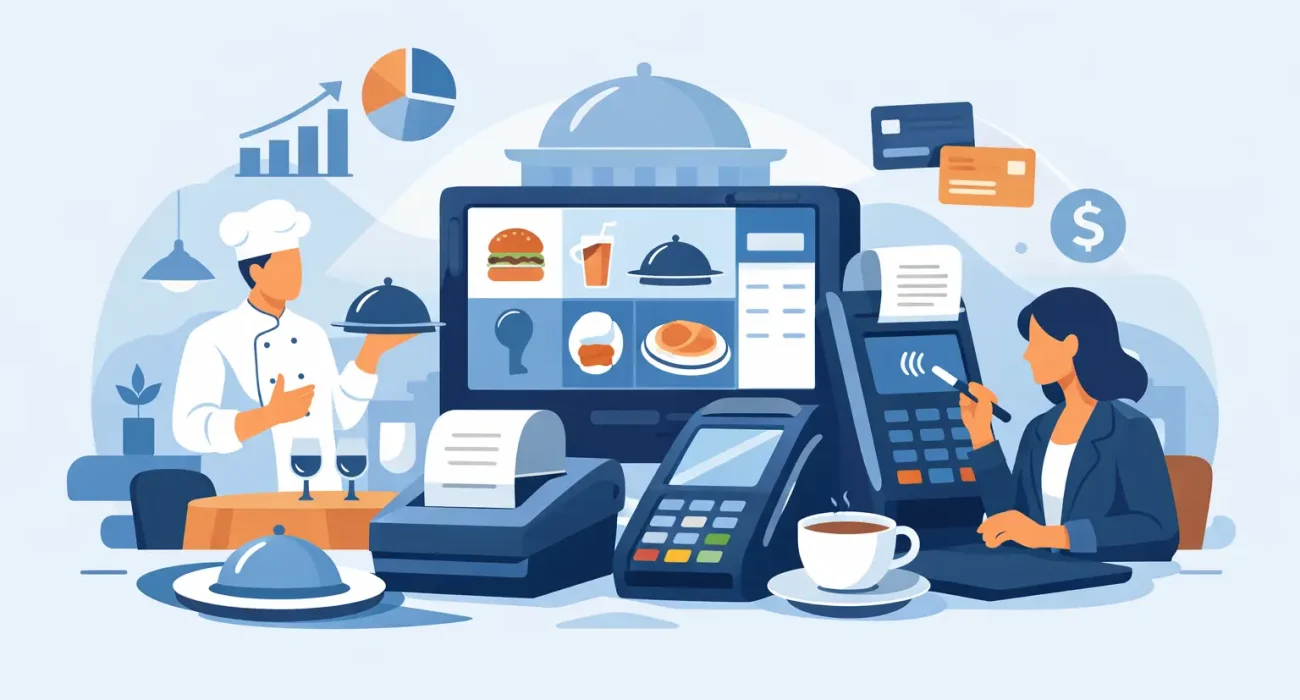
A bad POS decision usually shows up at the worst possible time – during the lunch rush, at month-end reporting, or when staff are trying to split a table of twelve. That is why a restaurant pos software review should focus less on sales demos and more on what actually happens in day-to-day service. For restaurant owners and operators, the right system is not just a checkout tool. It affects speed, order accuracy, inventory control, staff accountability, and the customer experience.
In practice, most restaurant POS platforms promise similar outcomes. Faster billing, better reporting, easier menu updates, and tighter control over operations all sound good. The difference is in how well those promises hold up in a real restaurant environment, especially when your business needs local support, flexible setup, and a system that fits your service style rather than forcing you to adapt around the software.
What a restaurant POS software review should actually measure
A useful review starts with the restaurant model. A quick-service outlet, a casual dining restaurant, a cafe, and a multi-branch operation do not need the same setup. If a review treats every restaurant the same, it is already missing the point.
For quick-service businesses, speed matters most. The interface needs to reduce taps, process high order volume, and handle modifiers without slowing the cashier. For full-service restaurants, table mapping, course timing, split billing, and kitchen coordination matter more. For delivery-focused brands, integration with online orders and order status management can be the deciding factor.
That is why the best reviews look at fit before features. A long feature list can be impressive, but if your staff only uses a small part of it, complexity becomes a cost. Good software should match your workflow, not create extra steps.
Core features that matter in a restaurant POS software review
At a minimum, any serious restaurant POS should handle billing, menu management, taxes, discounts, and reporting without friction. That is the baseline, not the advantage. The stronger systems go further by making routine tasks easier for managers and frontline staff.
Order management is one of the first areas to test. Can staff add modifiers quickly? Is it easy to send items to the kitchen with clear notes? Can the system manage dine-in, takeaway, and delivery from one place? If those functions feel clumsy in a demo, they will feel worse in a busy shift.
Inventory is another area where software often looks better on paper than in practice. Some systems offer only basic stock deduction, while others give recipe-level tracking, low-stock alerts, and ingredient usage reports. If food cost control is a priority, this distinction matters. A restaurant that wants tighter margins needs more than end-of-day sales reports.
Reporting should also be reviewed with care. Owners need visibility into top-selling items, low-performing menu categories, peak hours, cashier activity, voids, discounts, and branch-level performance. The question is not whether reports exist. The question is whether they are easy to access and useful enough to support decisions.
Ease of use matters more than extra features
Many restaurant owners overestimate how much complexity their team can absorb. A system may include advanced settings, layered permissions, and detailed analytics, but if training takes too long or staff continue making avoidable mistakes, the business pays for that complexity every day.
A better standard is usability under pressure. Can a new cashier learn the basics quickly? Can a floor manager update a menu item without calling technical support? Can kitchen tickets be read clearly and acted on fast? These are not minor details. They affect service speed and customer satisfaction directly.
This is often where practical providers stand out. They focus on implementation, setup, and training rather than just software features. That approach is especially valuable for restaurants that do not have in-house IT support and need a partner who understands live operations.
Pricing is not just the monthly fee
One of the most common mistakes in any restaurant pos software review is judging value only by subscription cost. Software fees matter, but they are only part of the total investment. Hardware, onboarding, customization, support, upgrades, and possible downtime all affect the real cost.
A lower-cost system may seem attractive until you realize key functions require add-ons, support is slow, or reports are too limited to be useful. On the other hand, a more expensive system may deliver better control, stronger service, and fewer operational issues, which can justify the price quickly.
Owners should also ask how pricing changes as the business grows. Adding terminals, users, branches, or new service channels can shift costs significantly. If you plan to expand, review the system based on your next stage as much as your current setup.
Support can be the deciding factor
Software performance is important, but support quality often determines whether the system becomes an asset or a daily frustration. Restaurants do not operate on office hours. If something fails during peak service, delayed support is not a minor inconvenience. It can mean lost orders, delayed tables, and unhappy customers.
That is why local responsiveness matters. A provider with direct understanding of your operating environment, tax requirements, and business challenges can usually resolve issues faster and configure the system more effectively from the start. For many businesses in Qatar, that local support element is worth as much as the software itself.
This is also where businesses benefit from working with solution partners that understand both operations and implementation. SDQ Tek, for example, is positioned around that practical model – helping businesses choose, set up, and support technology in a way that fits real operating conditions rather than generic assumptions.
Integration is no longer optional
Restaurants now rely on more than one system to run efficiently. Online ordering, QR menus, accounting software, loyalty tools, kitchen display workflows, and digital marketing all connect back to operational data. If the POS sits alone, staff end up duplicating work and managers lose visibility.
A strong POS should support the broader business, not just front-counter transactions. If your restaurant takes online orders, runs promotions, or needs synchronized menu updates across channels, integration matters. Even simple connections can reduce errors and save time.
This is where trade-offs come in. Some platforms offer wide integration options but require more setup and higher cost. Others are simpler but more limited. The right decision depends on whether your immediate need is basic control or a more connected operating system for growth.
Common red flags during evaluation
A polished demo can hide weak real-world performance. If the vendor avoids discussing offline functionality, reporting depth, support response times, or hardware compatibility, that should raise concern. Restaurants need clarity on what happens when the internet drops, when devices fail, or when staff need urgent help.
Another red flag is generic setup. Restaurants vary too much for one-size-fits-all implementation. If the provider is not asking about your table layout, menu complexity, service model, inventory needs, and reporting priorities, the solution may not be tailored enough to support your operation properly.
It is also worth watching for systems that are difficult to update. Menu changes, pricing changes, and promotional offers should not require excessive steps. Restaurants need agility, especially when adjusting to demand patterns, supplier costs, or seasonal offers.
How owners should compare options
The most effective way to compare POS systems is to shortlist only those that fit your restaurant type and service model. From there, evaluate them against daily use cases. Process a dine-in order, split a bill, apply modifiers, transfer a table, update a menu item, and pull a sales report. A system should feel practical before it feels impressive.
You should also compare the provider, not just the product. Ask who handles onboarding, training, troubleshooting, and future adjustments. A good platform with weak support can still become a poor investment. For many operators, service reliability is what turns software into a long-term business tool.
Finally, think beyond launch. The right POS should help you improve consistency, reduce waste, track performance, and support future growth. That may mean choosing a system that is slightly more structured today because it gives you better control tomorrow.
A smart restaurant POS decision is rarely about picking the platform with the most features. It is about choosing the one your team can use confidently, your managers can rely on daily, and your business can grow with without added friction.