

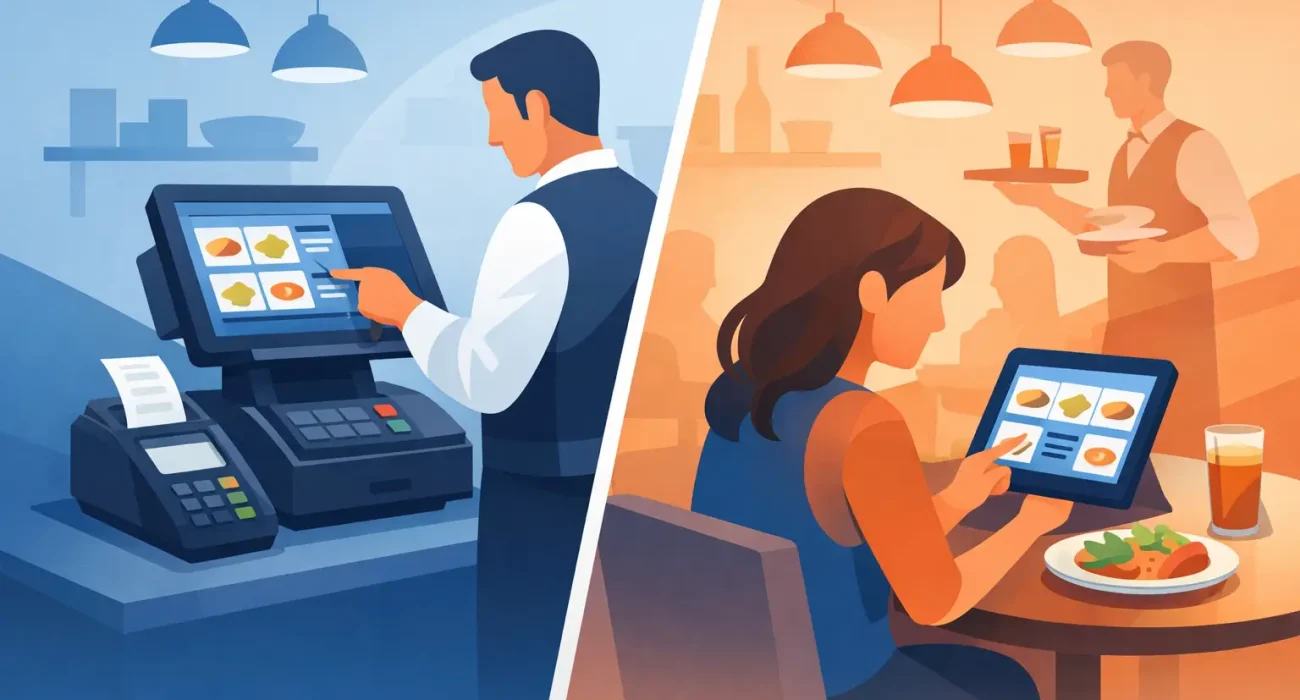
A busy lunch rush exposes weak systems fast. Orders pile up, staff repeat the same questions, and one small delay at the counter affects the whole floor. That is why the conversation around restaurant POS vs tablet ordering matters so much for operators who want better speed, accuracy, and control.
For many restaurants, this is not really a question of old versus new. It is a question of what kind of workflow supports the business you are actually running. A full POS system manages sales, reporting, kitchen coordination, inventory, and staff activity. Tablet ordering focuses on how guests place orders, whether at the table, at a counter, or through a self-service setup. They solve different problems, and the right decision depends on service style, budget, and growth plans.
Restaurant POS vs tablet ordering: the real difference
A restaurant POS is the operational core of the business. It records transactions, sends orders to the kitchen, tracks payment methods, manages menu items, and gives management visibility into sales and performance. In many setups, it also handles discounts, taxes, user permissions, table mapping, and end-of-day reporting.
Tablet ordering is narrower. It usually refers to a touchscreen device used by guests or staff to place orders digitally. In some restaurants, servers carry tablets to take orders tableside. In others, customers order directly from a tablet mounted on a table or kiosk stand. The purpose is usually faster ordering, fewer communication errors, and a more modern guest experience.
The confusion starts because some tablet ordering solutions connect into a POS, while others work like lightweight standalone tools. That distinction matters. If the tablet is only collecting orders but not syncing deeply with kitchen tickets, sales reports, modifiers, and payment reconciliation, it may create another layer to manage rather than reducing work.
When a restaurant POS makes more sense
If you run a full-service restaurant, a high-volume cafe, or a multi-branch operation, a dedicated POS usually needs to come first. It gives you structure. You can track sales by item, shift, and employee. You can monitor voids, manage permissions, and see which menu categories perform best. That kind of visibility supports better staffing, purchasing, and pricing decisions.
A POS also matters when your operation has more moving parts. If you need kitchen display integration, table management, split bills, delivery coordination, loyalty features, or stock tracking, a basic tablet ordering setup will usually fall short. It may help the guest place an order, but it will not give management enough control over the business.
This is where operators sometimes misjudge the trade-off. Tablet ordering can look more affordable at first because the hardware is familiar and the interface feels simple. But if it does not handle reporting, item modifiers, tax settings, or payment workflows properly, your team ends up filling the gaps manually. That costs time every day.
For restaurants focused on consistency and accountability, a POS is less about technology for its own sake and more about building a dependable operating system.
When tablet ordering is the better fit
Tablet ordering can be a strong choice when speed and convenience are the main priority. Quick-service restaurants, food courts, cafes with limited menus, and venues with high customer turnover can benefit from letting guests place their own orders. It reduces queue pressure and helps staff focus on food prep and customer support rather than repetitive order entry.
It can also improve order accuracy. Guests select items, review modifiers, and confirm what they want on screen. That reduces misheard requests and shortens back-and-forth at the counter. For businesses that serve multilingual customer bases or tourists, a digital ordering interface can be especially useful because it presents menu items clearly and visually.
Tablet ordering is also attractive for operators dealing with staffing pressure. If it takes pressure off front-of-house staff during peak periods, the labor value can be real. Still, this benefit depends on the setup being easy to use. A tablet that creates confusion or slows down payment will frustrate guests instead of helping them.
There is also a brand experience angle. Some businesses want a more modern, self-service environment. In the right concept, that can support faster service and higher order volume. In the wrong concept, it can feel impersonal. A family restaurant built on hospitality may not want screens replacing too much human interaction.
Cost is not just hardware
Many comparisons between restaurant POS vs tablet ordering focus too narrowly on device cost. A tablet looks inexpensive. A full POS setup may appear like the larger investment. But operators should look beyond the device and ask what the system saves or exposes over time.
A POS often delivers value through reporting accuracy, fraud reduction, inventory control, and smoother payment management. Those gains are harder to see on day one, but they shape profitability over months and years. Tablet ordering may reduce labor pressure and improve order speed, but if it lacks proper controls, it can limit management insight.
There are also support and maintenance considerations. Consumer-grade devices may be easy to replace, but restaurants need dependable uptime. If a system goes down during service, responsive support matters more than the initial price tag. For operators in Qatar or any market where local implementation and fast assistance are critical, this is often the factor that separates a workable solution from a risky one.
Guest experience and staff workflow
The best technology decision supports both the guest and the team. That is where many buying decisions go wrong. A restaurant chooses a guest-facing tablet because it looks modern, but the kitchen workflow becomes messy. Or it installs a powerful POS that management likes, but front-of-house staff find it slow and overly complicated.
A good POS improves workflow behind the scenes. Orders move cleanly, payments reconcile properly, and managers get usable data. A good tablet ordering setup improves the guest journey in the moment. It makes ordering faster, clearer, and less dependent on staff availability.
Neither is automatically better. If your guests expect attentive table service, tablet ordering might reduce the personal touch. If your concept depends on speed and volume, relying on staff to manually enter every order may create avoidable friction.
The right question is not which one is more advanced. It is which one removes the most friction from your actual service model.
The strongest option is often both
For many restaurants, the smartest answer in the restaurant POS vs tablet ordering discussion is not either-or. It is a POS-led setup with tablet ordering built into the workflow.
That combination gives you operational control and customer convenience at the same time. Orders entered through tablets flow directly into the central system. Menu updates stay consistent. Reporting stays accurate. The kitchen receives tickets properly, and management still has a full view of performance.
This approach also gives the business more room to adapt. You can start with core POS functionality and add self-ordering tablets, QR menu ordering, or handheld staff devices as demand changes. That is usually a better long-term strategy than buying disconnected tools and trying to stitch them together later.
For operators planning to grow, integration matters. A restaurant that opens a second branch, expands delivery, or adds promotions needs systems that scale cleanly. Fragmented software usually becomes expensive once the business gets busier.
How to make the right decision
Start with your service model. A dine-in concept with table management, bill splitting, and detailed reporting needs more than a basic tablet interface. A smaller quick-service location with a tight menu may gain immediate value from self-ordering.
Then look at your pain points. If your biggest issue is weak reporting, payment confusion, or lack of inventory visibility, start with POS. If your biggest issue is order queues, front-counter congestion, or repetitive staff workload, tablet ordering may be the faster win.
After that, think about implementation. The best system on paper still fails if setup is rushed, staff are not trained properly, or support is hard to reach. This is why many businesses prefer working with a technology partner that understands both operations and local business requirements. A tailored setup usually performs better than a generic one.
SDQ Tek works with businesses that need that balance – practical systems, reliable rollout, and support that fits how the operation runs day to day.
The better choice is the one that helps your restaurant run with fewer delays, fewer mistakes, and more visibility. If a system only looks good in a demo, it is not enough. The real test is whether it still performs when the line is long, the kitchen is busy, and every minute matters.