

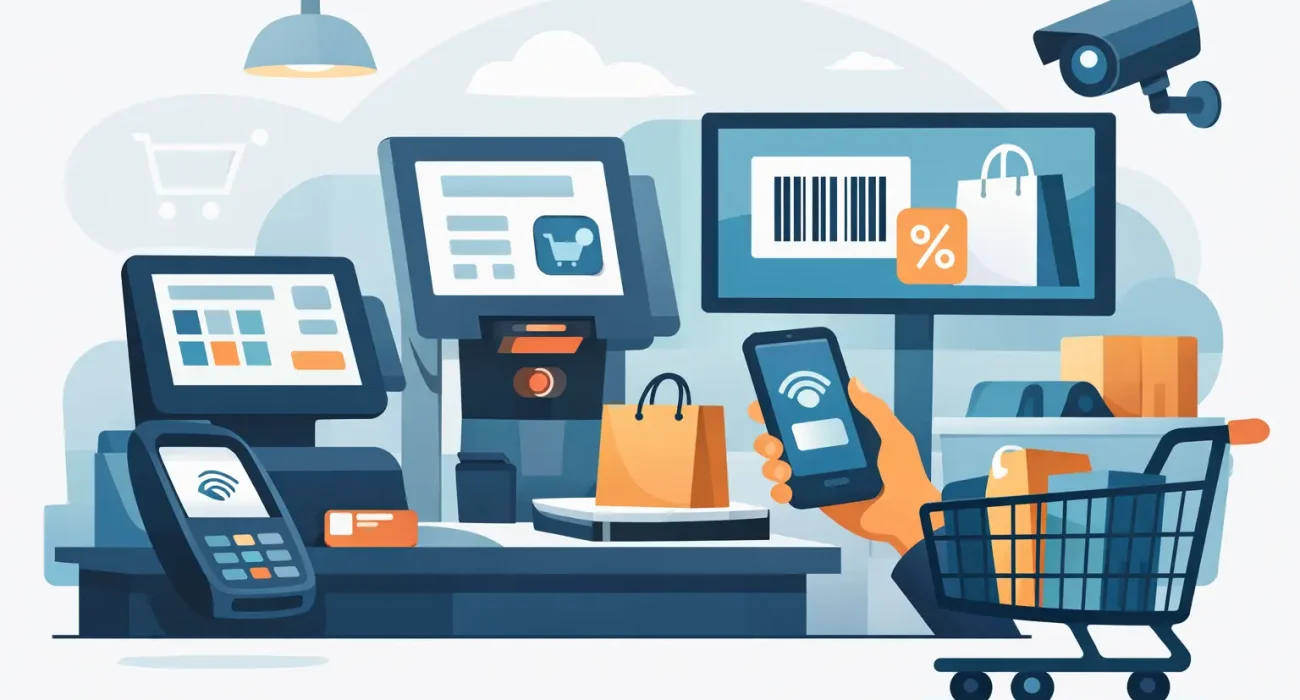
A busy counter exposes every weakness in a retail operation. If staff must search for prices, calculate discounts manually, or explain why an item appears available but is not on the shelf, the customer feels the delay immediately. The top features of retail checkout systems matter because they turn the checkout counter into a reliable control point for sales, stock, staff activity, and customer service.
For retail businesses, the right system is not simply a cash register with a screen. It should reduce routine work, give managers accurate information, and support the way the business actually operates. A convenience store, boutique, electronics retailer, and multi-location shop may all need different setups, but the core capabilities should be dependable and easy to use.
Why the Checkout System Has a Bigger Role
Every completed transaction creates useful business data. A modern retail checkout system records what sold, when it sold, who processed the sale, how the customer paid, and whether a discount or return was applied. When that information is accurate and available in one place, owners can make decisions based on real sales activity rather than assumptions.
This is especially valuable for growing retailers. As product lines, employees, and locations increase, spreadsheets and disconnected tools create more room for errors. A well-configured checkout system brings daily operations into a clearer process while giving managers the visibility they need to protect margins and serve customers better.
Top Features of Retail Checkout Systems to Prioritize
Fast, simple sales processing
The first requirement is a checkout flow that staff can learn quickly and use confidently during peak hours. Barcode scanning, product search, quantity adjustments, discount controls, receipt options, and suspended sales should be available without navigating through unnecessary screens.
Speed is not only about processing more customers per hour. A clear interface lowers training time and reduces mistakes at the counter. For stores with a high volume of small purchases, even a few seconds saved per transaction can make a noticeable difference in queues and customer satisfaction.
Flexible payment acceptance
Customers expect to pay in the way that suits them. A capable system should support cash, cards, contactless payments, digital wallets, split payments, gift cards, and store credit where relevant. It should also record each payment method accurately for daily reconciliation.
The best payment setup depends on the retailer’s customer base and banking arrangements. A small specialty retailer may need only cash and card payments, while a larger store may benefit from gift cards, installment options, or account-based billing. The priority is secure, reliable processing without making the checkout process more complicated for staff.
Real-time inventory control
Inventory management is one of the most valuable features connected to a retail checkout system. Each sale should update stock levels automatically, helping staff identify low-stock items, fast-moving products, and products that have not sold for an extended period.
Without this connection, stores often discover inventory problems after a customer has already asked for an item. Real-time stock visibility helps avoid overselling, supports better purchasing decisions, and reduces the time spent on manual stock checks. For businesses with multiple branches, centralized inventory visibility becomes even more important.
Product variants, barcodes, and pricing rules
Retail inventory is rarely as simple as one item with one price. Apparel may have sizes and colors. Electronics may have different configurations. Grocery and specialty stores may sell products by weight, bundle items, or offer time-based promotions.
The system should manage product variants, multiple barcodes, supplier codes, category structures, and pricing rules without forcing staff to create workarounds. It should also allow managers to schedule promotions and apply discounts consistently. A discount that is correctly configured in the system protects both customer trust and profit margins.
Customer profiles and loyalty tools
A checkout system can help retailers turn occasional visitors into returning customers. Customer profiles may capture purchase history, contact details, preferences, loyalty points, and available store credit. This gives staff useful context when assisting customers and gives managers a clearer picture of buying behavior.
Loyalty features are most useful when they are simple for both customers and employees. Complicated reward rules can slow down transactions and create confusion. A practical program might reward repeat purchases, offer targeted promotions, or provide benefits for higher-value customers. The objective is not to collect data for its own sake, but to make repeat business easier to encourage.
Clear sales reports and business dashboards
Owners should not need to wait until the end of the month to understand store performance. Strong reporting tools show daily sales, average transaction value, product performance, sales by employee, discounts, returns, payment totals, and category trends.
These reports should be easy to interpret. A manager needs answers to practical questions: Which products are selling? Which shift performs best? Are discounts increasing? Is one location underperforming? The right dashboard turns daily transactions into information that supports purchasing, staffing, and promotional decisions.
Employee permissions and accountability
Not every employee needs access to every function. Cashiers may need to process sales and returns within defined rules, while supervisors may approve larger discounts, voids, or cash drawer actions. Owners and managers should be able to review activity without sharing administrative access.
Role-based permissions help reduce avoidable losses and create accountability. Staff activity logs can show who opened a drawer, changed a price, processed a refund, or applied a manual discount. This does not replace good management, but it gives management a reliable record when questions arise.
Returns, exchanges, and cash management
Returns are part of retail, and they can either reinforce customer confidence or create operational confusion. The system should process returns and exchanges clearly, connect them to original transactions when possible, and update inventory correctly. It should also apply store return policies consistently.
Cash management deserves the same attention. Features such as opening float records, cash drawer tracking, shift closing reports, and variance reporting make end-of-day reconciliation much easier. For retailers handling significant cash volume, these controls can save time and help identify discrepancies early.
Integration with business operations
A checkout system works best when it is connected to the tools a business already uses. Depending on the operation, this may include accounting software, e-commerce platforms, delivery systems, customer messaging tools, or purchasing workflows.
Integration should be chosen carefully. Adding every possible connection can increase cost and complexity without solving a real problem. Start with the workflows that currently require duplicate data entry or create frequent mistakes. For many retailers, connecting in-store sales, inventory, online orders, and accounting delivers the strongest operational benefit.
Choosing Features Based on Your Store
The right priorities depend on the business model. A single-location retailer may place more value on easy daily reporting, payment flexibility, and dependable inventory tracking. A retailer with several branches may need centralized product management, transfer tracking, branch-level reporting, and consistent pricing across locations.
Before selecting a system, map the current checkout process from the moment an item is received to the moment a sale is reconciled. Look for delays, repeated manual work, pricing errors, stock discrepancies, and reporting gaps. Those are the problems the system should solve first.
It is also worth considering the hardware environment. Barcode scanners, receipt printers, cash drawers, card terminals, tablets, and customer displays must work reliably together. Lower initial software costs can become expensive if the hardware setup is unreliable or support is difficult to reach when the store is open.
Implementation Is Part of the Investment
Even the right software can disappoint if it is poorly configured. Product data needs to be organized, pricing and tax rules need to be checked, staff need practical training, and reports need to reflect how management reviews performance. A rushed setup often leads to inconsistent data that is harder to correct later.
For businesses operating in Qatar, local implementation and responsive support can make a meaningful difference. SDQ Tek helps retailers approach POS implementation as an operational improvement project, not just a software purchase. The goal is to create a system that fits the store’s workflow, supports growth, and gives decision-makers dependable visibility.
The best checkout system should make a store feel easier to run on its busiest day. Choose the features that solve the problems your team faces at the counter, in the stockroom, and at closing time, then build a setup your staff can rely on every day.