

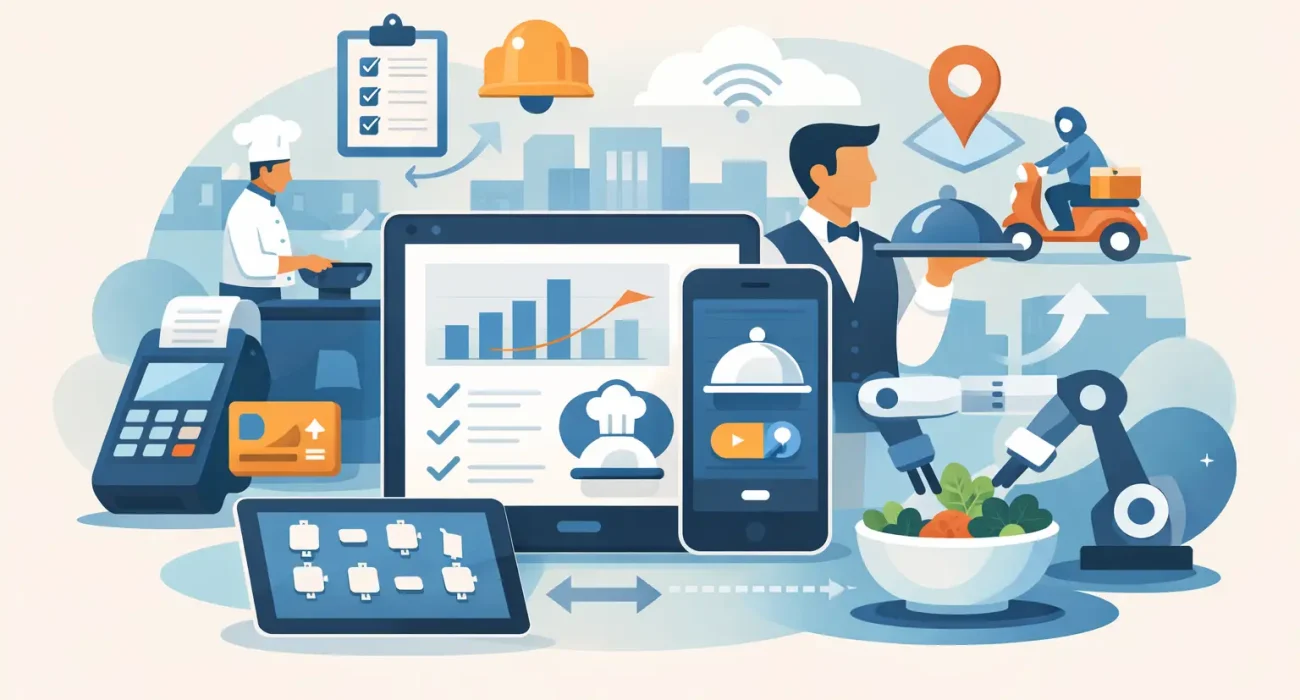
The lunch rush exposes every weak point in a restaurant. Tickets stack up, servers double back to the kitchen, inventory runs short, and managers end up solving preventable problems instead of leading the floor. That is why choosing the best tools for restaurant workflow is not just a tech decision. It is an operational decision that affects speed, service quality, labor efficiency, and profit.
For most restaurants, workflow issues do not come from one major failure. They come from small disconnects between front of house, kitchen, inventory, delivery, and reporting. The right tools reduce those gaps. The wrong setup creates more handoffs, more confusion, and more manual work. The goal is not to add software for the sake of modernizing. The goal is to build a system that helps your team move faster with fewer errors.
What the best tools for restaurant workflow should actually solve
Before comparing products or features, it helps to define the workflow problems that matter most. In a busy restaurant, tools should shorten order time, improve kitchen communication, track stock accurately, simplify payments, and give management clear visibility into daily performance.
If a platform looks impressive but still requires staff to repeat tasks across multiple systems, it is not improving workflow. If it saves a few minutes on reporting but slows service at the counter, the trade-off may not be worth it. Good restaurant technology should reduce friction where it costs you the most money and time.
That usually means focusing on five operational areas: order management, kitchen coordination, inventory control, staff scheduling, and business reporting. In some cases, customer-facing tools like QR menus and online ordering also play a major role, especially for restaurants with dine-in and delivery running at the same time.
1. POS systems are the core workflow tool
For most operators, the point of sale system is the center of the restaurant. It touches ordering, billing, menu updates, shift management, and sales reporting. If the POS is slow, difficult to use, or disconnected from other systems, the entire workflow suffers.
A strong restaurant POS should let staff enter orders quickly, send them directly to the right prep station, manage modifiers clearly, and process payments without delays. It should also give managers practical reporting, not just raw data. You need to know what sells, when your rush hours happen, which items have weak margins, and where staff performance can improve.
Not every restaurant needs the same POS setup. A quick-service brand may prioritize speed and counter efficiency, while a full-service restaurant may need better table management and split-bill flexibility. Cafes may value simplicity, while multi-branch businesses usually need centralized reporting and menu control. The best fit depends on service style, order volume, and whether delivery is a major part of sales.
2. Kitchen display systems cut delays and ticket confusion
Paper tickets still create problems in many kitchens. They get lost, pile up, tear, or become difficult to read during busy periods. A kitchen display system gives chefs and line cooks a clearer view of incoming orders and helps prioritize prep more consistently.
When integrated with the POS, a kitchen display system can route orders by station, mark preparation times, and update status in real time. That improves communication between servers and kitchen staff without adding more verbal back-and-forth. For restaurants with high volume or multiple order channels, this becomes even more valuable.
There is a trade-off, though. A kitchen display system works best when the kitchen process itself is already defined. If stations are unclear or ticket handling rules change every day, the screen alone will not fix that. Technology supports discipline. It does not replace it.
3. Inventory management tools protect margin, not just stock levels
Many restaurant owners think of inventory tools as back-office software. In reality, they have a direct effect on daily workflow. When stock counts are inaccurate, purchasing becomes reactive, menu items become unavailable, and kitchen prep gets interrupted.
A good inventory system helps track ingredient usage, waste, purchase orders, vendor costs, and low-stock alerts. The best options connect inventory to sales data so you can see how menu movement affects stock in real time. That allows better planning and more accurate food cost control.
This matters even more in markets where supplier pricing can shift and imported products may create lead-time issues. Restaurants that rely on manual spreadsheets often find the process manageable when they are small, then difficult to control once volume grows. At that stage, inventory software becomes less of a convenience and more of a safeguard for margin.
4. Staff scheduling and attendance tools reduce daily friction
Labor is one of the biggest operating costs in any restaurant, and poor scheduling creates problems beyond payroll. Overstaffing raises costs. Understaffing slows service and frustrates customers. Last-minute shift confusion puts more pressure on managers and team leads.
Scheduling tools help organize shifts, monitor attendance, and reduce miscommunication around staffing. Some systems also support role-based access, time tracking, and simple payroll exports. That saves time for managers who would otherwise handle schedule changes manually through calls and messages.
The practical benefit is consistency. When staffing is planned more accurately against actual sales patterns, service becomes easier to manage. The restaurant runs with less stress, and managers spend more time improving operations instead of patching holes.
5. QR menu and online ordering tools support faster service
QR menus and digital ordering tools are now part of normal restaurant operations, especially for businesses that want to reduce wait times and handle more volume without increasing front-of-house pressure. Used properly, they improve workflow by shortening ordering steps and minimizing repeated staff interactions for basic requests.
They are particularly useful in fast casual, cafes, food courts, and restaurants with a younger, mobile-first customer base. They can also help with menu updates, promotions, and multilingual presentation. In a market like Qatar, where customer convenience and speed strongly influence satisfaction, this can make a noticeable difference.
Still, not every concept should push digital ordering equally. Fine dining or hospitality-led venues may want technology to support service, not replace it. The right decision depends on brand experience as much as operational efficiency.
6. Reporting dashboards help managers make faster decisions
Workflow does not only happen on the floor. It also depends on how quickly management can see problems and act on them. If sales trends, stock movement, labor performance, and peak periods are buried across different systems, decision-making slows down.
This is where reporting dashboards matter. A practical dashboard should show the numbers that affect operations now, not just monthly accounting summaries. Managers should be able to spot slow items, labor inefficiencies, order bottlenecks, and peak-hour trends quickly.
The best reporting tools are simple enough to use daily. If reports require technical knowledge or too much manual cleanup, most operators will stop using them consistently. Clarity matters more than complexity.
Choosing the best tools for restaurant workflow without overcomplicating operations
One common mistake is buying several standalone tools that do not work well together. Each tool may be good on its own, but if your team has to switch between systems for orders, stock, scheduling, and reporting, workflow can become more fragmented instead of more efficient.
Integration matters because restaurant operations are time-sensitive. Orders should flow directly to the kitchen. Sales should inform inventory. Staff scheduling should reflect real business demand. Management should see the impact without pulling reports from four different places.
That is why many restaurants benefit from working with a technology partner that understands both the software and the daily realities of service operations. SDQ Tek supports restaurants with practical business systems that fit actual workflow, not generic setups that look good in a demo but create extra work after launch.
What to prioritize before you invest
The right toolset depends on your current pain points. If service is slow, start with POS and kitchen coordination. If margins are tightening, focus on inventory and reporting. If management time is being lost to staffing issues, scheduling tools may deliver the quickest return.
It also helps to think beyond features. Ask how easy the system is to train, how responsive support will be, whether it fits your service model, and how well it can scale if you open another location. A cheaper tool that causes downtime or requires constant workarounds usually costs more in the long run.
Restaurant workflow improves when the technology fits the way your team actually works. The best setup is not the one with the longest feature list. It is the one that removes delays, gives managers control, and helps staff perform consistently under pressure.
If your restaurant feels busy but not efficient, that is usually a sign the workflow needs attention before the team works any harder. The right tools can turn that pressure into a process your business can actually grow on.